Least Privilege Database Access for Support and Operations Teams
Stopping privilege creep protects databases from unnecessary exposure.
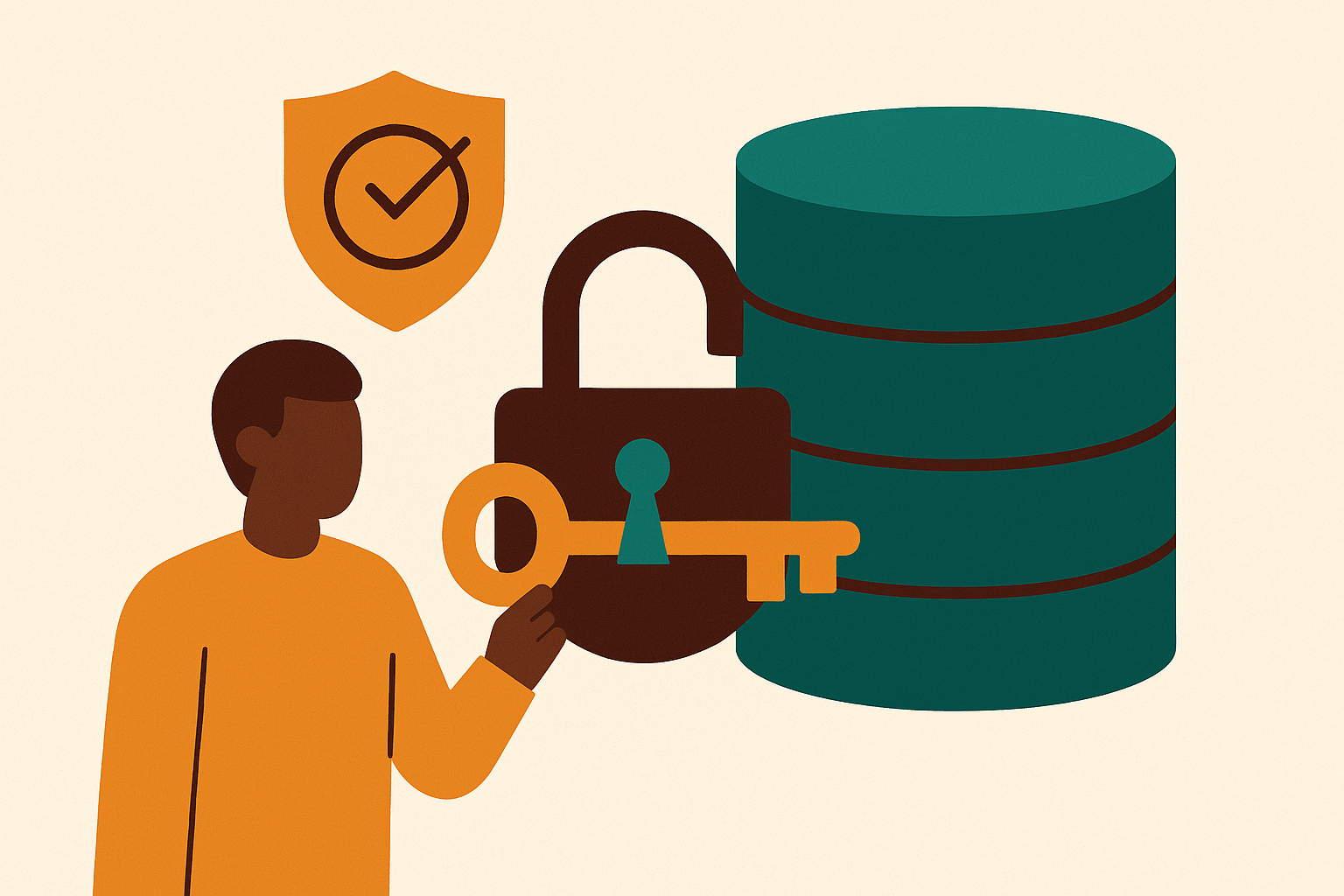
Support and ops teams need database access to do their jobs. Looking up a customer record, checking an order, debugging a ticket. None of that is controversial. The problem is what happens after that access gets granted: it rarely gets trimmed back down.
Someone copies a colleague's role instead of checking what they actually need. A "temporary" grant for one project quietly becomes permanent. Offboarding checklists cover laptops and badges but rarely include a real look at what data access is walking out the door with someone, or staying behind on their still-active account. TechPrescient's research on RBAC practices found organizations typically carry 40-60% more roles than they actually need, a lot of them built by copying existing permissions without checking if they made sense in the first place.
This adds up to what security teams call a blast radius problem. If access is broad and standing, one compromised support login or one honest mistake by an ops employee can expose way more than the task in front of them required. Unit 42's research is blunt about how common this is: 99% of cloud users, roles, and service accounts hold more permissions than they need. That's not an edge case. That's close to the norm.
This isn't really a story about bad actors. It's a story about entropy. Granting access solves an immediate problem. Removing it takes effort, with no immediate payoff, so it often doesn't happen. And the cost of that drift is real: breaches averaged $4.44 million in 2025, with over-permissioned access showing up again and again as a contributing factor.
So how do you give people what they need without handing them the keys to everything? That's the actual question this piece is trying to answer, and it comes down to layering controls at the data itself, not just at the login screen.
What least privilege actually means at the data layer, not just the login layer
Here's the common mistake: most organizations enforce least privilege at authentication. Can this person log into the database? Yes or no. That's as far as it goes.
But that's often the wrong question, or at least an incomplete one. The real question is granular: can this specific user see this specific table, this specific row, this specific column, for the task they're doing right now? Login access answers almost nothing about what happens after someone's inside.
Think of data-layer least privilege as having three dimensions:
Scope — which tables, views, or datasets a role can even reach
Depth — which rows within those tables are visible (this is row-level filtering, more on that below)
Sensitivity — which columns are readable versus masked or hidden entirely
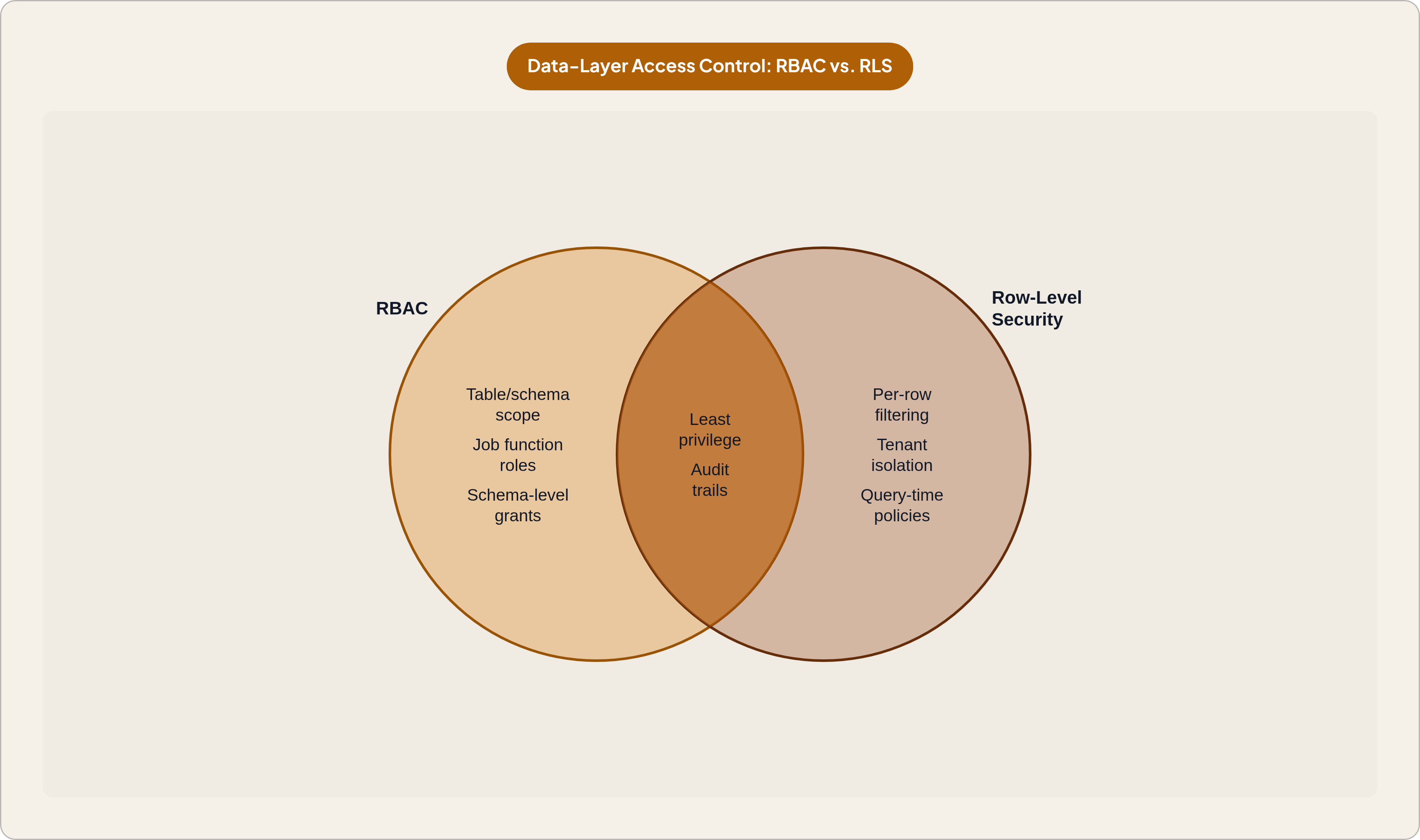
Role-based access control (RBAC) is the baseline here. Roles map to job functions, not to individual people, so a "support tier-1" role has a defined, auditable set of permissions that isn't tangled up with any one person's history of favors and exceptions. Attribute-based access control (ABAC) adds a dynamic layer on top: access can shift based on context like region, data classification, time of day, or whether there's an approval ticket attached to the request.
There's also a regulatory angle that makes this less of a nice-to-have and more of a requirement. GDPR, HIPAA, and PCI DSS increasingly expect organizations to demonstrate least privilege at the record level, not just prove the system has a login page. New York's cybersecurity regulation, 23 NYCRR 500, is explicit about it in Section 500.07: access has to be restricted to the minimum necessary. When an auditor asks "who accessed this person's record, and why," that answer has to come from data-layer audit trails. Server logs showing who logged in usually won't cut it.
The framing worth holding onto for everything that follows: this isn't about blocking people from doing their jobs. It's about making sure the permissions someone holds actually match the work they're doing.
How role-based access control scopes what support and ops teams can reach
RBAC at the table and schema level is the first real gate. A support role gets SELECT access on the tables it needs, customers, orders, tickets, and nothing on billing, payroll, or internal audit tables. Simple in concept. Harder to keep clean in practice.
The trick is designing roles around job function, not around whatever request happens to land on someone's desk. That means actually mapping out what a tier-1 agent looks up day to day, and what a tier-2 escalation needs that tier-1 doesn't. It also means resisting one-off grants to individuals. Every exception you grant to a single person is really just a role that doesn't exist yet, quietly waiting to cause confusion later.
Keeping RBAC clean over time takes ongoing discipline, not a one-time setup:
Tie role grants to actual HR or ticketing events. New hire, role change, offboarding, each should trigger an access review, not just a system update.
Run periodic access reviews. Quarterly for sensitive data, annually for lower-risk roles. This is exactly what catches the drift that produces that 40-60% role bloat number mentioned earlier.
There are a few mistakes that show up constantly at this layer:
Granting write or UPDATE permissions "just in case," when read-only would cover the vast majority of support tasks
One shared ops role used across teams with meaningfully different data needs (the copy-paste problem again)
Scoping roles to production data when a read replica or a sanitized view would do the same job with far less risk
RBAC gets you pretty far, but it has a hard ceiling. Two tier-1 agents with the identical role should not necessarily see the same customers. RBAC can't make that distinction on its own. That's a row problem, not a table problem.
Row-level security: filtering records so agents see only what they should
Table-level grants are too blunt an instrument for a lot of support work. A tier-1 agent and a regional ops lead might both legitimately need access to the orders table, but there's no reason they should see the same rows in it.
Row-level security (RLS) solves this by attaching a policy directly to the table that filters rows at query time, based on who's asking. An agent's query against the orders table automatically returns only the customers assigned to them. No filtering logic bolted onto the application. No separate dataset to maintain. The database itself decides what comes back.
That last point is the real security guarantee. Application-level filtering depends on the application getting it right every time, in every code path. RLS enforces the restriction inside the database engine itself, so an application bug, a misconfigured API, or someone connecting directly to the database and skipping the app layer entirely still can't pull rows the policy excludes.
But there's a catch worth knowing before anyone assumes RLS is bulletproof out of the box. In PostgreSQL, table owners bypass row-level security by default. You have to explicitly set FORCE ROW LEVEL SECURITY to apply policies to the table's own owner, and superusers or roles with the BYPASSRLS attribute typically skip RLS no matter what you set. Other database engines have their own versions of this quirk. It's a common finding in security audits, precisely because it's easy to assume RLS is airtight when it isn't, by default, for everyone.
RLS also has real limits that matter for what comes next:
It filters rows. It does not touch columns. A row can pass through the policy and still expose a field nobody meant to hand over.
An agent blocked from seeing EU customer rows can often still run something like SELECT COUNT(*) against the unfiltered table, unless aggregate queries are separately restricted.
Joins and views can leak more than they should. A row policy that works cleanly on a direct query against the orders table can still leak the existence of filtered-out tenants through aggregate results once that table gets joined to a parent table.
For multi-tenant support teams, RLS is what makes one table serve everyone safely. One table, one policy, each agent sees their own portfolio. No duplicated tables, no parallel datasets drifting out of sync. But it's not a replacement for RBAC, it's a partner to it. RBAC decides which tables are reachable at all. RLS decides which rows within those tables are visible. You typically need both, stacked, for the model to actually hold.
Column masking and dynamic data masking for sensitive fields support teams don't need to see
Here's a scenario that comes up constantly: a support agent needs to open a customer record to resolve a ticket. Reasonable. But do they need to see the full payment card number, or the customer's Social Security number, or a raw, unmasked email address to do that? Usually not.
The blunt tool here is a column-level grant, just removing SELECT access on a column entirely. That works fine when a field is never relevant to a role. But it's inflexible when the honest answer is "they need to see something about this field, just not all of it."
Dynamic data masking is the more flexible answer. The column still shows up in the query result, but its value gets transformed at query time based on who's asking.
A support agent sees **--**-4242.
A billing admin sees the full card number.
The masking rule lives inside the database policy, not scattered across every application that happens to query that table.
This kind of masking is getting easier to set up, not harder, which matters because it lowers the excuse for skipping it. Amazon Aurora PostgreSQL added dynamic data masking support through the pg_columnmask extension (in Aurora PostgreSQL 16.10+ and 17.6, released November 2025), letting teams write SQL-based masking policies by role to support GDPR, HIPAA, and PCI DSS requirements directly. SQL Server 2025 builds on its existing masking with more granular, conditional rules based on role or query context, and simpler policy management as datasets grow. Snowflake's column-level security policies apply centrally and get inherited automatically across any query or view touching that column, so the rule doesn't need to be reapplied everywhere.
It's worth naming the tempting shortcut and why it doesn't actually work: just make a sanitized copy of the table and give support access to that instead. In practice this creates three problems at once. The copy needs constant syncing with the source. Storage costs double. And access management on the copy grows just as messy as the original, because now there are two things to govern instead of one. Masking at the source avoids all three, because there's only ever one table and one policy to maintain.
The governance upside is real too. Masking policies are centralized and auditable, so a single policy change updates behavior everywhere that column gets touched, across every tool and every team, without anyone having to hunt down every place the data lives.
Put the layers together and here's the stack: RBAC decides which tables you can reach. RLS decides which rows within those tables you see. Column masking decides which fields within those rows show up in full versus in disguise. Each layer can be audited on its own, and together they create a permission model that still holds even if one layer has a gap.
Just-in-time access for elevated tasks that fall outside standing permissions
Standing permissions can't cleanly cover every situation, and trying to force them to is exactly how bloat happens. Say an ops engineer needs to run a one-time correction on a production table. Or a support escalation manager needs to pull a full, unmasked record because of a legal dispute. These are real, legitimate needs. But they're rare.
The wrong move is expanding someone's standing role to cover the rare case "just in case it comes up again." That's the exact mechanism behind privilege bloat described earlier, just happening one exception at a time.
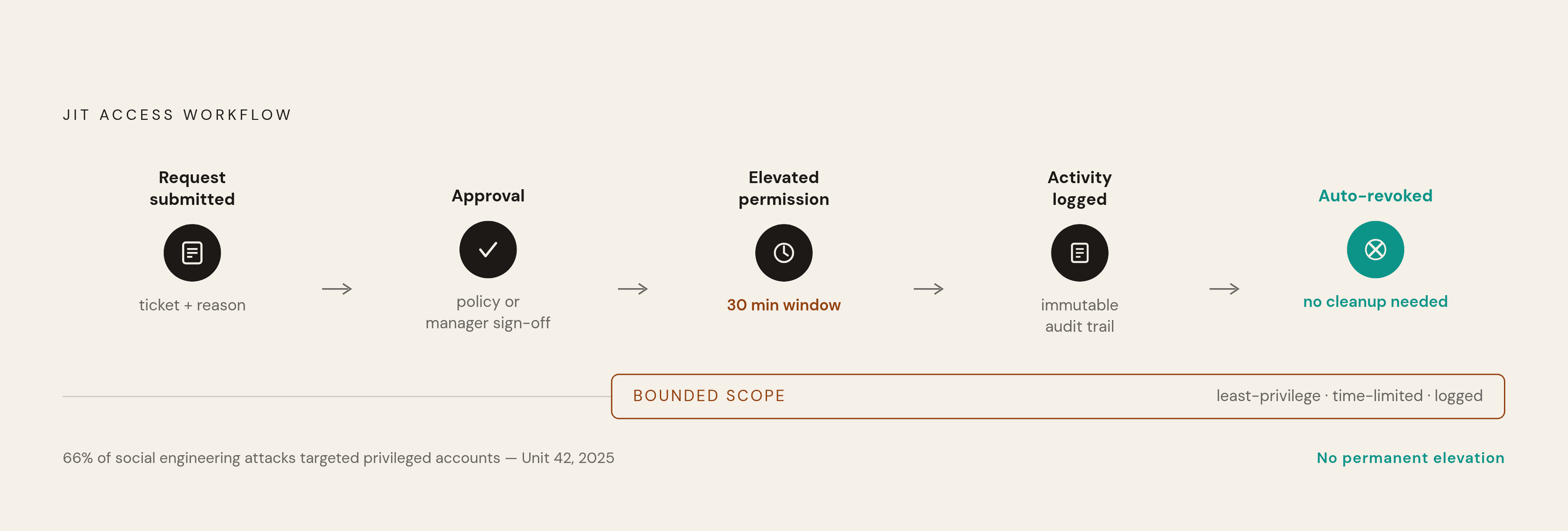
Just-in-time (JIT) access is the better fit: privileges granted only for the length of a specific task, then automatically revoked when the task ends or the time window runs out. A typical JIT workflow looks something like this:
Someone submits a request tied to a ticket or a stated reason
Approval happens automatically through policy, or requires a manager's sign-off
The elevated permission is granted for a bounded window, maybe 30 minutes, maybe one session
Everything done during that window gets logged in an audit trail that can't be edited after the fact
Access is revoked automatically, no one has to remember to clean it up
Pair JIT's time limit with just-enough-access (JEA), which bounds the scope of the grant. The point isn't just "you get admin for 30 minutes." It's "you get access to these three tables, for this task, for 30 minutes." Time-boxed and scope-boxed together.
This matters more than it might seem, because privileged accounts are a favorite target. Unit 42's 2025 Global Incident Response Report found that 66% of social engineering attacks targeted privileged accounts specifically. JIT directly shrinks that target: there's no permanently elevated credential sitting around to steal, because it doesn't exist outside the narrow window it's needed.
It also solves the audit problem cleanly. A JIT system generates a per-task record: who asked, who approved it, what got accessed, when it ended. That's precisely the paper trail an auditor wants when they ask who touched a sensitive record and why.
One caveat worth being clear about: JIT isn't free. It adds friction, and friction is worth it for low-frequency, high-risk tasks, but not for the routine reads a support agent runs fifty times a day. Making someone request temporary access every time they look up an order status defeats the point. JIT is for the rare, risky stuff. Standing, well-scoped permissions are still right for the routine stuff.
How the tooling layer — BI platforms and database GUIs — fits into this control model
All of this only works if the tools sitting on top of the database respect it. RLS, masking, RBAC, these are meant to be the authoritative layer. Whatever BI tool or database GUI a support or ops team actually clicks around in should pass those controls through, not quietly replace them or route around them.
Here's where it breaks down in practice: a lot of BI tools connect to the database using one shared, high-privileged service account. That single account flattens everything the database was carefully set up to enforce. Every person using that tool effectively sees whatever the service account can see, row-level policies and column masks included, because from the database's point of view, there's no individual user to apply those policies to. There's just the service account.
So when evaluating a tool for support or ops use, a few questions actually matter:
Does it connect using each person's own credentials, preserving the database's own RBAC, or does everyone share one account?
Does it pass through RLS-filtered results faithfully, or does it cache results in a way that quietly bypasses row policies?
If it has its own permission layer on top, is that enforced down at the database, or only inside the tool's application logic (which is a much weaker guarantee)?
Can a non-technical support agent actually answer their own question inside their permission boundary, without needing to write SQL or file a ticket?
That last point matters more than it looks. A lot of over-permissioning exists because people can't self-serve. If someone can't run their own query safely, they ask the data team for a bigger grant instead, and the data team, under time pressure, often just gives it to them. Remove the need to ask, and you remove a lot of the pressure that inflates access in the first place. Research from SR Analytics on self-service BI backs this up from the productivity side too: teams saw decisions made 50% faster and employee engagement up 85% where self-service was in place. The security case and the productivity case are pointing at the same solution here, which doesn't happen often.
There are two ways to get this wrong, and they're mirror images of each other:
Lock things down so tightly that every lookup requires a ticket, which just recreates the backlog that caused over-permissioning to begin with
Hand out a tool with no real permission model at all and hope "trusted users" behave, which collapses the entire stack built up in the sections above
Which tools actually support this model well for support and ops teams
When you're actually picking a tool for a support or ops team, four things matter more than the marketing page: how deep the permission model actually goes, whether non-technical people can use it without hand-holding, whether it works directly against the database or through a separate semantic layer, and what it costs at the scale of a small or mid-size team.
Some tools in this space are built with this specific problem in mind, connecting directly to Postgres, MySQL, and similar databases with row-level permissions built in rather than bolted on. Basedash, a database GUI and BI platform that lets non-technical support and ops staff look up records, edit data safely, and run saved queries without writing SQL, while engineering controls what access exists through row-level permissions, is one example of this approach. For a company somewhere around the 100-person mark that needs safe internal data access without standing up a full BI operation, that can be a practical fit.
There are open-source tools in this space too, with the tradeoffs you'd expect: strong usability for non-technical users and governance features included without extra licensing cost, which suits smaller teams doing internal dashboards and exploration. The tradeoff usually shows up as the team and the data grow past that scale, at which point the permission model that felt like plenty starts to feel thin.
None of these tools substitutes for getting RBAC, RLS, and masking right at the database itself. What a good tool does is stay out of the way of those controls, and make it easy for a support agent to see exactly what they're supposed to see, and nothing else, without anyone having to write custom code to make that happen.