Role-Based Access Control Patterns in Internal Admin Tools
How to build access layers that let teams serve themselves without exposing sensitive data.
Engineering teams build internal admin tools to buy back time. Then they spend that time managing who can see what, which defeats the purpose. The root cause is structural: internal admin tools sit at the intersection of two pressures pulling in opposite directions. Non-technical teams need to serve themselves from production data, and that same data carries real compliance exposure the moment too many people can touch it. Without a deliberate access structure, the only "safe" fallback is routing every request through an engineering ticket queue. The tool exists in name only. Most of the advice available on RBAC doesn't help here, because it was written for a different problem. Guidance built around identity platforms like Okta or Microsoft Entra ID handles workforce single sign-on and application login screens, not the data-layer mechanics an admin panel actually needs: row-level security, query-level permissions, column masking. That disconnect between permission layers appears in a specific, recurring failure. Traditional BI platforms manage permissions at the report or dashboard layer only, so there's a disconnect between what the tool's interface allows and what the underlying database will actually execute. A user blocked from a sensitive dashboard can sometimes still reach the same table through a SQL editor, an API, or a different report built on the same dataset. Platforms like Basedash, which ground access control in a combination of data source-level permissions and database-native row-level security policies, close that gap by enforcing permissions at both the data source and row level, so what a user sees in a dashboard stays aligned with what they can actually query. On top of the dashboard-versus-database mismatch, admin tools have their own slow-moving hazard: privilege creep. People change roles, projects end, responsibilities shift, and access that made sense a year ago quietly outlives its purpose. Without a structured process for revoking it, that unused access just sits there, widening the attack surface without anyone noticing.
RBAC's core components in an internal tool's data model
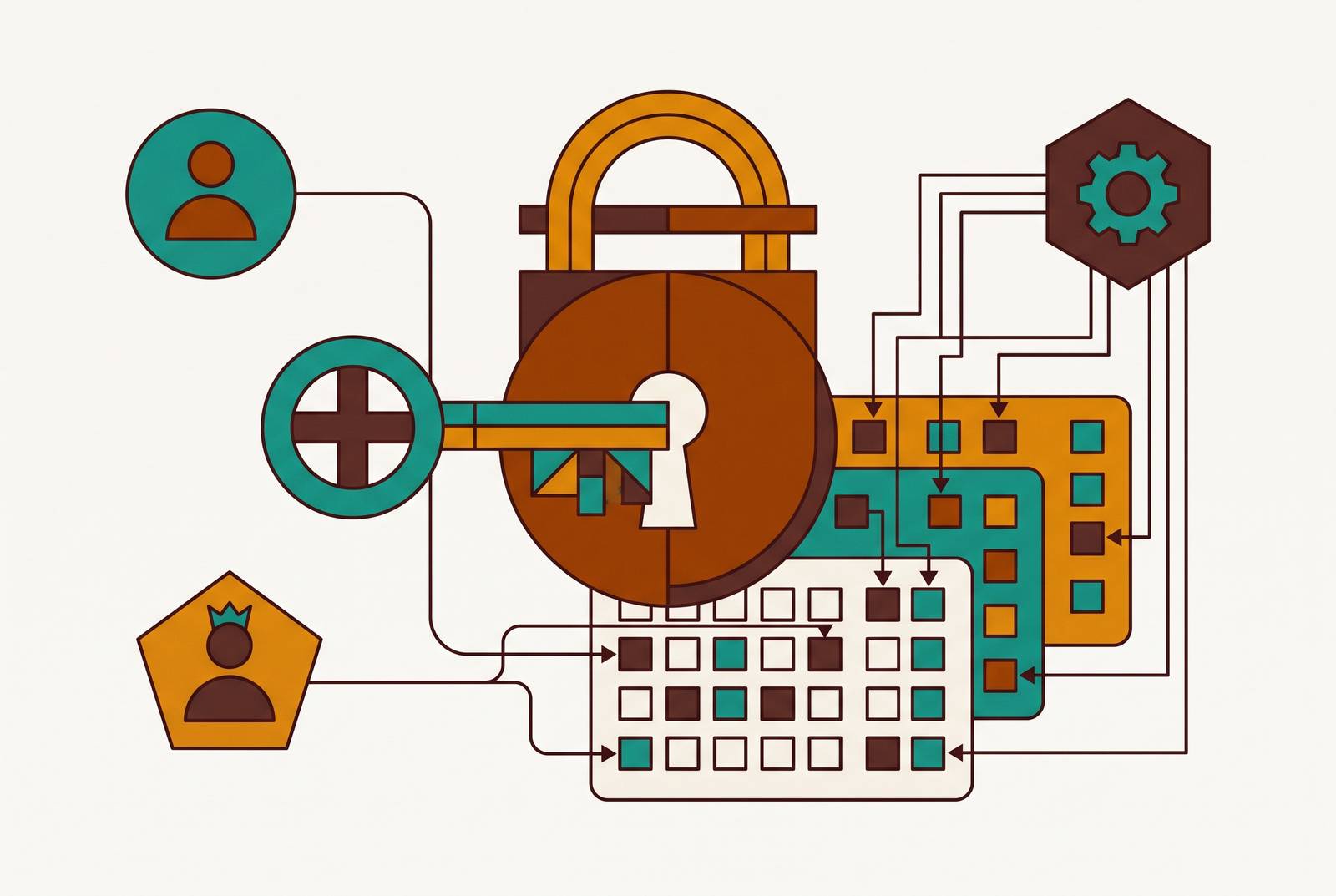
Before getting into role design, it helps to agree on terms, since the words get used loosely. In practical terms, RBAC rests on three building blocks: users (the people or service accounts that need access), roles (named job functions that bundle permissions together), and permissions (the specific actions allowed on specific resources). The formal NIST standard adds more detail, including the concept of sessions, but these three are what do the daily work. The mechanic that makes this scale is simple but easy to underrate: permissions attach to the role, not the person. When someone moves teams, the role assignment changes, and every permission tied to that role updates automatically, with no one combing through a list of individual grants. RBAC takes four recognizable patterns. Core RBAC is the baseline, a straightforward user-to-role-to-permission structure that every implementation needs regardless of company size. Hierarchical RBAC layers roles so a senior role inherits everything a junior role has plus more, which fits how data teams are actually organized. Constrained RBAC enforces separation of duties, preventing one user from holding conflicting roles, which matters in finance or compliance settings where the same person shouldn't approve and execute a change. And hybrid RBAC combined with ABAC adds context, like location, device, or time of day, for zero-trust environments where a role title alone doesn't tell you enough. Inside an internal data tool, these ideas map onto concrete, visible layers: which dashboards someone can open, which tables they can query, which rows show up in their results, and which columns stay unmasked. That mapping holds together best when the BI layer sits directly on top of the database through a semantic layer connecting the two, rather than functioning as a separate silo running its own disconnected permission system. The thread running through all four models is least privilege: give people only the access their role genuinely requires, and nothing past that, so a compromised or misconfigured account only ever exposes a small slice of the system.
Designing a role hierarchy that fits a data team without generating role explosion
A role hierarchy for a data team has one job: stay flat enough to maintain while still mapping onto what people actually do. Practitioners tend to land on a five-tier structure that covers most internal tool scenarios without spiraling. An Analyst reads from curated datasets and can compose queries through the BI or admin tool itself. An Analytics Engineer steps up from there, building and modifying transformation logic with write access scoped to defined schemas. A Data Engineer goes further still, developing and managing pipelines with broader write permissions. And an Admin tier sits at the top, reserved for a small number of senior people who genuinely need full access. This kind of hierarchy works best when it mirrors both the job function and the layered permission model underneath it, so viewers reading dashboards, analysts composing queries, and engineers modifying schemas each map onto a natural boundary in the database and the BI platform alike; that mapping is what keeps role creep visible instead of hidden. Role explosion is what happens when that discipline breaks down, and it's the dominant failure mode for RBAC at any real scale. The role count keeps growing until it outnumbers the people it was supposed to describe, and the whole system stops being manageable. That's not a people problem so much as a structural one: it happens when context that should be evaluated dynamically, like location, department, project, or regulatory status, gets baked directly into role names instead. The fix is to keep roles flat and move that context into attributes instead. Define a base "Finance Manager" role, then evaluate conditions like US and restricted-data status dynamically through ABAC at the moment access is requested, so the role structure stays stable and the access logic stays accurate. Snowflake's own recommended separation of duties is a useful reference point here. SYSADMIN handles data and warehouse creation, SECURITYADMIN handles access management, and ACCOUNTADMIN is kept for a handful of trusted people and reserved strictly for account-level configuration, not daily work. The roles stay few, the boundaries stay clear, and none of them get used for routine tasks. Handing out ACCOUNTADMIN-equivalent access for everyday data work simply because it's convenient in the moment quietly collapses the entire separation of duties the hierarchy was built to protect.
Row-level and column-level security as the layer that makes self-serve safe
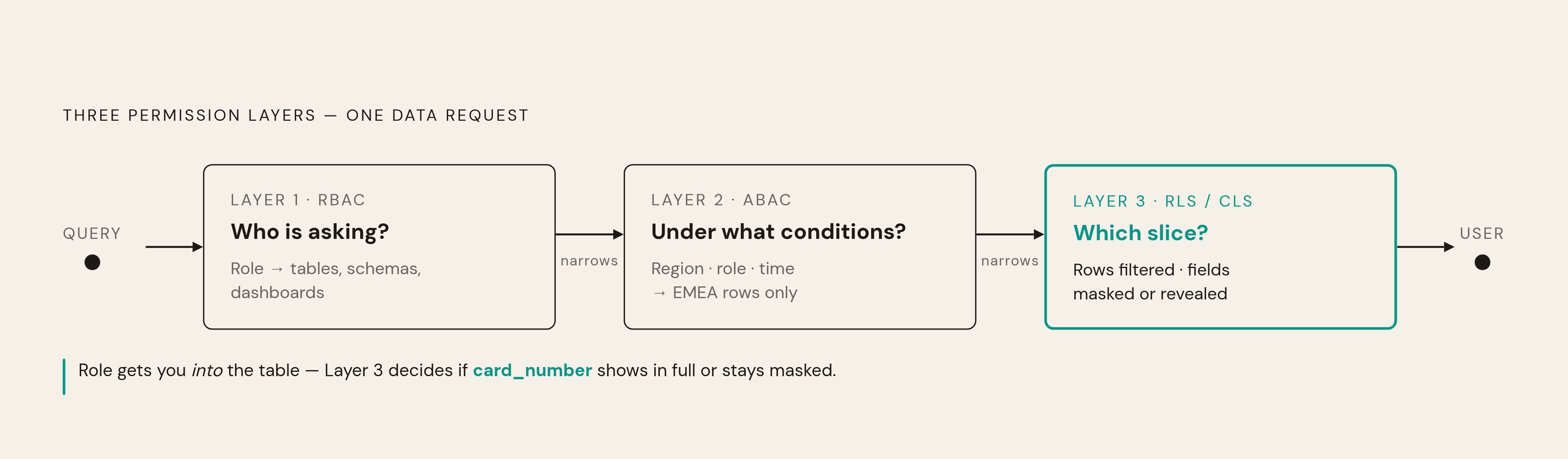
A role tells the system who someone is. It doesn't, on its own, limit what that person sees inside a shared table, and that's where a lot of "self-serve" setups quietly fail. Without row-level and column-level predicates, an Analyst role on a customer table means access to every customer, regardless of which ones are relevant to that person's job. Picture a support agent pulling up a customer record. The role gets them into the table. Row-level security is what decides whether they see a single account or the entire customer base, and column-level masking is what decides whether the payment card number on that record shows up in full or stays hidden. Three layers work together here, composing RBAC, ABAC, and row- and column-level security into the model that governs modern data access. RBAC answers who's asking, binding permissions to tables, dashboards, and schemas. ABAC answers under what conditions, so a Sales Manager for EMEA, logging in during business hours, only sees records from her own region. And row- and column-level predicates answer which slice, narrowing things down to specific rows with specific fields unmasked. The failure mode to watch for with BI platforms is relying only on workspace or dashboard-level permissions, with no row-level security enforced inside the shared dataset itself. In a lot of systems, that means anyone who can open a report can also reach the full, unfiltered data sitting behind it. The fix has to live in the database, underneath the application sitting on top of it. A BI tool that only enforces row-level security inside its own interface does nothing to stop someone reaching the same data through a SQL editor, a direct connection, or an API. This is a practical discipline, not a theoretical one, and it plays out at the level of individual SQL statements: application accounts get only the SELECT, INSERT, UPDATE, and DELETE permissions they actually use, schema migrations run through separate accounts, read-only replicas carry credentials that physically cannot write, and admin access gets granted per session rather than left standing indefinitely. Column masking rounds this out. A support agent might need the customer record but not the full card number, so the role decides which rows they reach and column-level security decides which fields on those rows stay readable.
Audit trails as the operational backbone of a working permission system
A permission system that nobody can verify isn't really a permission system, just a set of good intentions. Without audit logging, there's no way to confirm the controls are doing their job, no record of who touched sensitive data, and no way to catch a permission that got granted and never should have been. Audit trails earn their keep in three distinct ways. The first is compliance evidence: SOC 2, HIPAA, and ISO 27001 all expect documented access logs showing who accessed what and when, and clear role definitions paired with those logs let auditors check access patterns quickly instead of reconstructing them by hand. The second is catching permission drift before it becomes a real problem. Without a running log of role assignments and changes, escalated privileges build up where nobody's watching, and the 2025 Data Security Maturity Index found a large share of organizations dealing with untracked permission escalation caused by overlapping roles. The third function is incident response: when something does go wrong, the audit trail is what lets a team figure out scope, how many records got touched, by whom, over what stretch of time.
Logging alone doesn't stop drift, though. It only exposes it, and exposure only matters if someone's looking regularly, through access reviews that actually recertify roles instead of rubber-stamping them. Handing a reviewer a full list of every role at once leads them to approve all of it, simply because nothing on the page stands out. Tooling is starting to build this in from the start rather than bolting it on afterward. Schema-change governance tools like Bytebase route schema changes through configurable approval chains using CEL-based matching rules, and data exports now run through a just-in-time approval flow inside the SQL Editor, so requests land automatically with the right DBA or project owner. That's audit-by-design, built into the workflow itself rather than reconstructed after the fact.
Just-in-time access for admin operations that shouldn't be always-on
Standing admin access is the single riskiest configuration an internal tool can have. A permanently elevated account that gets compromised or misconfigured doesn't hand an attacker a narrow window, it hands them a door that never closes. The Cloud Security Alliance's 2025 publication, Managing Privileged Access in a Cloud-First World, puts Just-in-Time access, Just-Enough Access, and Zero Standing Privileges forward as the baseline expectation for privileged access in cloud-era systems. JIT access works by granting elevated permissions only for the specific task that needs them, then automatically pulling that access back once the task is done, shrinking the exposure window down to minutes or hours instead of leaving it open indefinitely.
AI agents raise the stakes on this considerably. They run into the same standing-privilege problem a human does, but at a pace no human matches. The obvious objection is friction: doesn't gating every elevated action behind an approval step just slow everyone down? It does add a step, but modern implementations auto-approve routine, policy-matching requests in seconds, and pre-built templates make the frequent tasks nearly instant. The friction that remains is the point. It's intentional verification, not bureaucratic delay. The team doesn't slow down. The window where something could go wrong just stays narrow.
Choosing or evaluating an internal tool's RBAC implementation without over-engineering it
With the patterns laid out, the practical question becomes how to tell whether a tool actually implements them, without engineering having to bolt on a custom access layer just to make it work. The right implementation enforces everything above out of the box. A few questions make that evaluation concrete. Is access enforced at the data layer itself, or only at the UI, where what's hidden on screen can still be reachable underneath? Does it support row-level and column-level controls natively, or does that enforcement depend on configuring the database separately and hoping the two stay in sync? Does it produce an audit log detailed enough to show who ran which query, when, and against which data, rather than just a record of who logged in? Can non-technical staff self-serve inside their own permission boundaries without filing a ticket or learning SQL? And once it's set up, does engineering get to step back, rather than staying on call as the permanent gatekeeper for every data request that comes in?
Basedash is built around that exact model. It connects directly to a production database, Postgres, MySQL, and others, and surfaces dashboards, saved queries, editable data views, and internal tools with row-level permissions, with row-level security currently supported for Postgres. In practice, that means a support agent, a sales rep, and a marketing analyst can each see the exact slice of data their role allows, without needing SQL access or pulling engineering in for every request. Engineering sets the permissions up once. Everyone else works within them. That division of labor, set it up carefully, then let the rest of the company self-serve inside it, is what the whole structure in this piece has been building toward.