Retool vs Appsmith vs Tooljet for Internal Database Apps
These three platforms demand SQL fluency even when non-technical teams need self-serve access.
Every engineering team has a version of the same queue: a support team asking for a way to look up order status, an ops manager who wants an approval flow, a sales lead who needs an admin panel to edit account records without opening a database client. These are admin panels, CRUD interfaces, support tools, approval flows, and they never stop arriving, even as the team stays committed to the product roadmap it was already hired to build. Business units file the requests, developers stay booked on other work, and the backlog compounds. CMARIX puts the hiring shortage at 82% of organizations struggling to hire engineers, so there's no easy relief valve on the headcount side. The gap gets filled by spreadsheets and shadow IT, which is a nice way of saying people build their own workarounds because nobody else will.
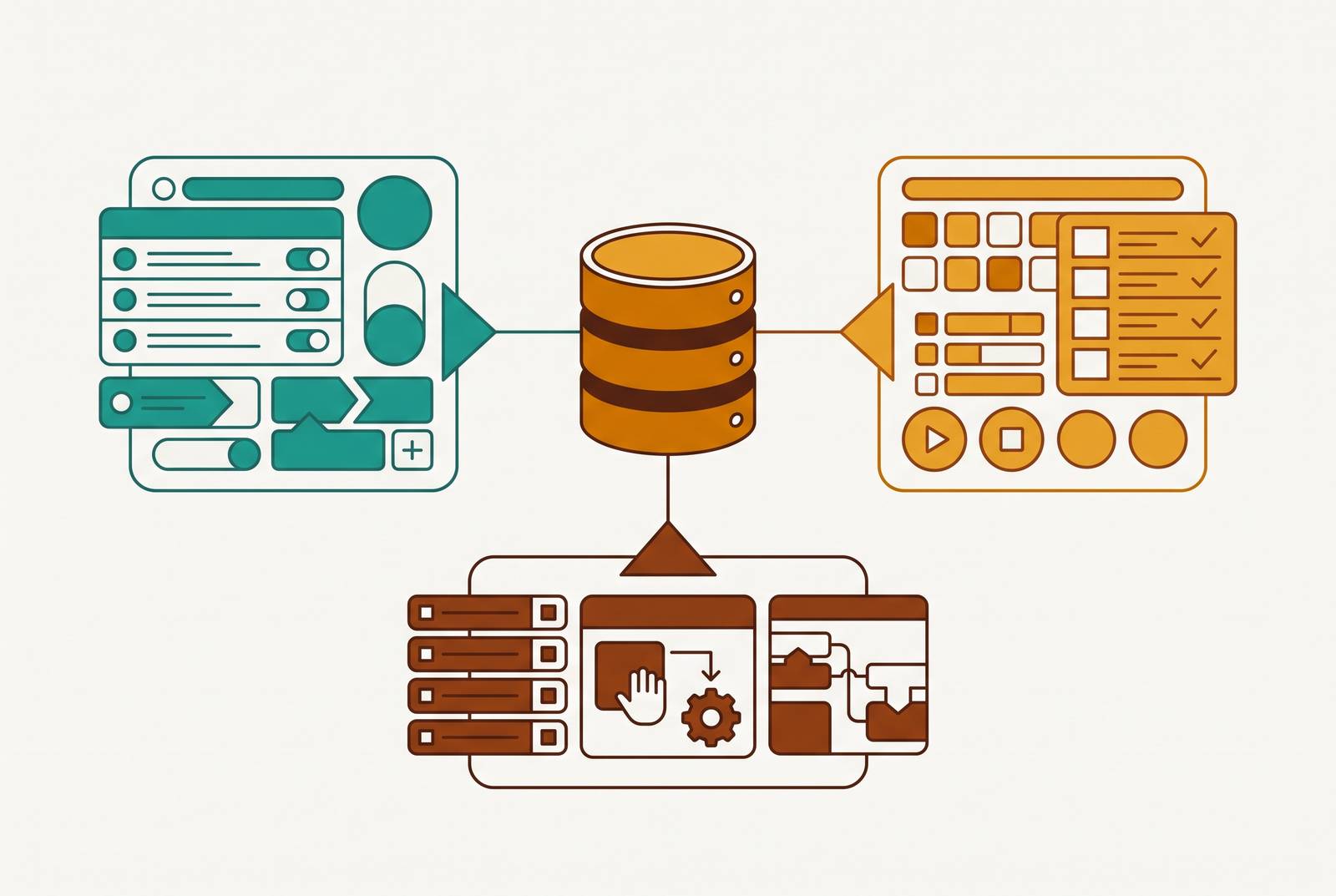
Drag-and-drop internal tool builders exist to shrink that backlog without adding headcount. The mechanism is nearly identical no matter which platform a team picks: connect to a database or an API, drag pre-built components like tables, forms, charts, and buttons onto a canvas, wire them to a query, and let the tool handle the rendering and the plumbing. What used to take weeks of hand-coded frontend work turns into an afternoon of dragging and configuring. That's the pitch across the category, and it's a reasonable one.
Three platforms get mentioned constantly in this conversation, and each earns its reputation honestly. One is known for getting a developer from a live database connection to a working admin panel fast. That speed is why engineers reach for it when a request needs to ship same-day. It supports custom JavaScript and Python when a team needs logic the drag-and-drop layer can't express on its own, and it offers role-based access control, audit logs, and other enterprise security features when a team needs to pass a security review. A second is built around an open-source core and connects to more than 60 data sources spanning databases, REST and GraphQL APIs, SaaS tools, and large language models. A third leans into AI-assisted building, pairing an AI app builder and workflow automation agents with a built-in PostgreSQL database, visual builders, code support, and a wide range of integrations. Where they start to pull apart is in what they cost a team once the prototype stage is over.
Ownership model, pricing structure, and builder effort
A demo tends to flatten the differences between these tools. All three look roughly the same on stage: drag a component, connect a query, ship a panel. Once usage grows, the differences that matter appear in three places: who owns the application code, what the pricing curve looks like as more people get added, and how much ongoing developer time the platform keeps demanding after launch.
Ownership is the one teams underestimate early and regret later. WeWeb's guide to low-code platforms lists code ownership as one of four core evaluation criteria, alongside build flexibility, backend connectivity, and pricing predictability, and its warning is blunt: if a platform doesn't offer export or self-hosting, the switching cost becomes the real long-term price of the tool. That plays out differently across the three. The open-source option keeps code in the team's own repository. Self-hosting is now restricted to Enterprise customers only, meaning new signups on self-serve plans don't get that option at all. That's a meaningful trade for a team that cares about not being boxed in.
Pricing tells a similar story. WeWeb's guide names per-seat pricing that climbs as teams grow, and feature-gating that locks custom domains, role-based access, or audit logs behind higher tiers, as two of the five hidden costs common to this category. Governance features in particular tend to sit behind a paywall: audit logs, RBAC, and other governance controls are often absent from open-source community editions and only unlock on paid tiers. A team that starts on a free or low-cost plan because the prototype worked can find itself facing a much larger bill the moment it needs the compliance features that production use actually requires.
Then there's the maintenance surface, the ongoing developer effort none of these tools eliminate. All three are builder-first platforms, not consumer-first ones: a developer has to construct the app before anyone else can use it. That first build is only the beginning. Every new filter, every new form field, every new chart a business team asks for sends the request back to whoever owns the builder, and a developer has to return to the canvas to make the change. The backlog that justified buying the tool in the first place doesn't disappear. It shrinks, then quietly refills, this time with smaller, more frequent requests instead of big ones.
The SQL bottleneck that limits all three for non-technical teams
Every one of them treats query-writing ability as the primary way to get at data, and that creates a bottleneck exactly where non-technical teams need self-serve access the most.
The drag-and-drop canvas is approachable. Anyone can look at a table component or a form builder and understand roughly what it does. But the data layer that canvas depends on, the part where someone points a table at a query, writes a JOIN, or defines a transformation, still demands real SQL fluency from whoever is doing the building, and that requirement produces the bottleneck. The visual layer hides complexity from the end user. The person building the tool still has to deal with that complexity.
That split determines what a non-technical user can and cannot do with the tool once it's built. Once an app is built, a non-technical user can consume it: click through the panel, view the records, run the report that was set up for them. What they can't do is extend it, filter it differently, or answer a question the original build never anticipated, without filing another request and waiting for a developer to pick it up. "Low-code" turns out to describe the experience of the person building the tool, not the experience of the person using it. For a product manager or a support lead who wants to poke around production data and follow a hunch, these platforms require filing a request and waiting.
The common defense of this setup goes something like: developers build the queries once, and then anyone can use the app. That holds for known, anticipated questions, the ones someone thought to build a view for in advance. But when a user needs to slice the data a different way or ask something nobody anticipated, it stops holding, and that's precisely the moment self-serve access is supposed to matter. A fixed interface answers fixed questions well. It has nothing to offer the open-ended ones, and open-ended questions are most of what curious, non-technical teams actually want to ask.
All three platforms assume query-writing ability as the primary data-access mechanism, and that's the exact point where non-technical teams hit a wall. An AI-native BI tool that translates plain-English questions directly into SQL sidesteps that wall entirely, letting product, sales, and ops teams answer their own questions without filing a ticket or learning database syntax. What these teams need is governed, exploratory access to the database itself, where the question doesn't have to exist in advance for someone to get an answer to it.
What Basedash does differently
That's the gap Basedash is built to close, and it closes it by skipping the app-building step entirely rather than making it faster.
Basedash is an AI-native BI platform that connects directly to Postgres, MySQL, Snowflake, BigQuery, ClickHouse, SQL Server, and other databases and SaaS sources, turning them into dashboards, saved queries, editable data views, and internal tools without requiring anyone to build a custom app or stand up a separate BI stack. The engineering or data team sets it up and administers it, but the audience for it is the whole company: product, sales, marketing, support, ops, anyone who needs an answer from production data without routing through a developer. Row-level permissions handle the safety question that usually blocks this kind of access: non-technical users can read and edit only what they're supposed to, with no raw database credentials and no SQL required on their end.
The sharper fit is visible in what disappears from the workflow. There's no builder loop: a product manager can filter a table, dig into a dashboard, or edit a single record without opening a ticket and waiting for someone to add a new component to a canvas. Engineering sets up permissions, views, and saved queries once, and the rest of the company works from that setup without pulling a developer back in for every new question. That also means no separate BI stack to stand up, no per-seat licensing that grows more expensive as more departments get access, and no new infrastructure to maintain for a team that doesn't have spare DevOps bandwidth. The per-seat and ownership-model problems in the three-tool comparison matter most when the real need is data access rather than custom application logic; Basedash avoids them with flat-rate team pricing and a governed semantic layer connected straight to the database, instead of per-user costs that climb as self-serve use spreads across support, ops, and sales.
Safe editing is part of the same design. Row-level permissions let a support rep fix a user record or let ops correct an order directly, without exposing the whole database and without a developer having to build a custom form just to make that one edit possible.
None of this makes Basedash the right pick for every job. If a team wants to ship a polished, customer-facing or partner-facing application, it still needs an actual app-building platform, not a database access layer. The honest boundary is that drag-and-drop internal tool builders are operational app builders, while Basedash is a database-native access and analytics layer. They solve adjacent jobs.
Choosing the right tool for your team
Picking between these options comes down to three questions: who's going to build the tool, who's going to use it, and how much of that usage is open-ended exploration versus clicking through a screen someone already designed.
Basedash is the starting point for the most common version of this problem, which is a team that needs to give non-technical people (support, ops, sales, product) safe, self-serve access to production records and dashboards without engineering standing between every question and its answer. It fits best when the goal is for engineering to configure access once and step back, rather than maintaining a builder app that needs a developer's attention every time a business team's needs shift even slightly. It also fits naturally when safe record editing is part of the daily job, like support fixing a user's account or ops correcting an order, since row-level permissions cover that case without anyone having to build a custom form for it. And it suits a team whose builders are less fluent in SQL, since natural-language querying removes that requirement from the equation rather than working around it.
But the calculus runs differently if a team is set on building a fully custom internal application rather than getting access to existing data. If speed to a first working prototype is the top priority, and there are developers on staff who can write SQL and JavaScript comfortably, a drag-and-drop builder will get something in front of users faster than building a bespoke application from scratch. If a team is comfortable with a SaaS hosting model, and willing to accept per-seat costs that climb as usage grows, it fits that profile reasonably well. But if a team self-hosts on its own infrastructure, that points toward the open-source option, particularly when compliance or data-residency rules make that a hard requirement rather than a preference. And a team that wants role-based access control and audit logs without paying enterprise-tier licensing fees should weigh that cost carefully before committing, since governance features are exactly the kind of thing that tends to sit behind the priciest plan in this category.
None of these answers is universally right, which is really the point. The three drag-and-drop builders solve the problem of building a custom interface faster than a team could by hand. Basedash solves a different problem: getting people safe, governed access to a database without building an interface for every question in advance.