SQL Joins Explained for Non-Engineering Team Members
LEFT JOIN finds the gaps your business actually needs to chase down.
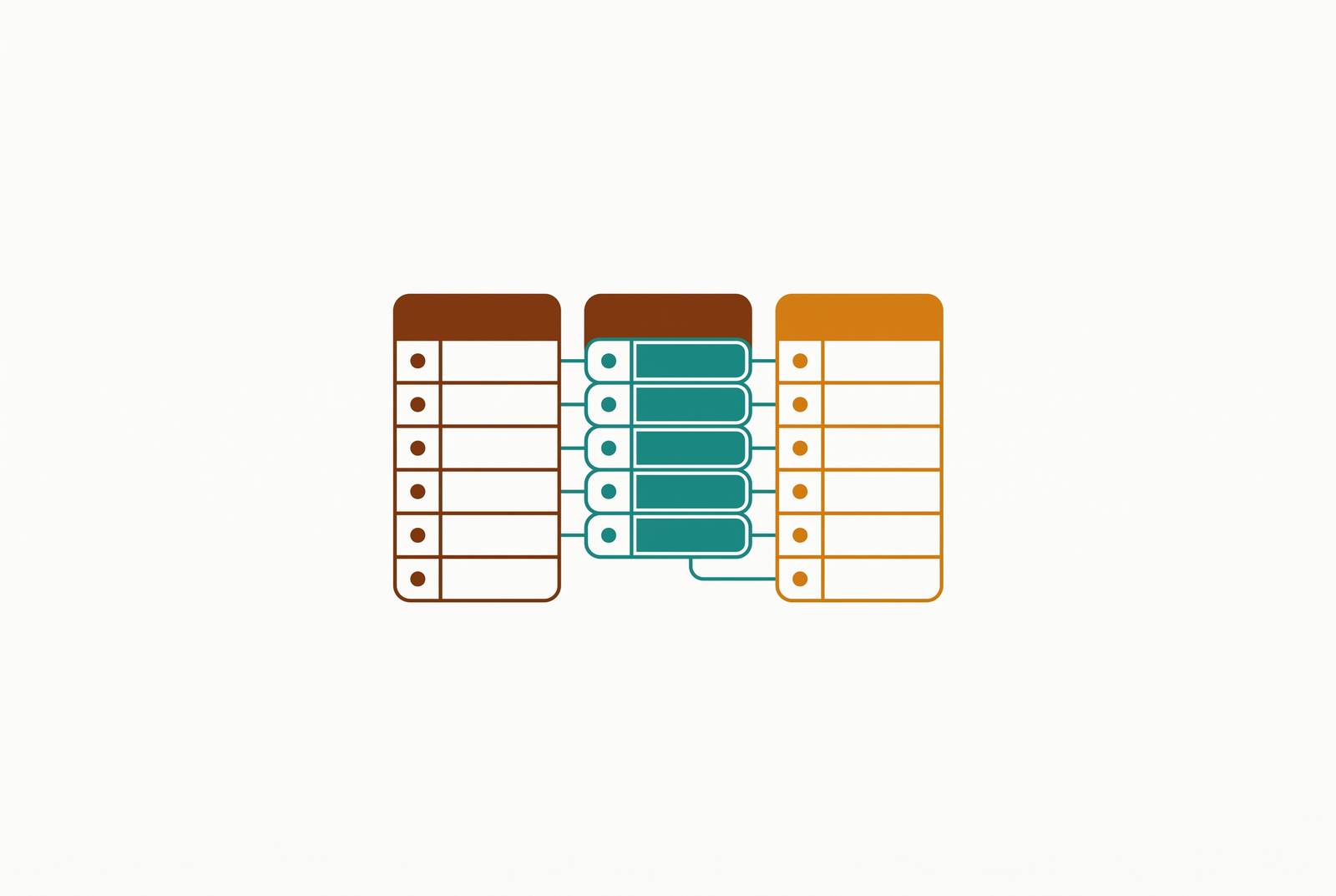
LEFT JOIN is the one worth learning first, and if this piece only convinces you of one thing, make it that. Most business questions worth asking (who churned, who went quiet, who never finished onboarding) live in the blank rows a LEFT JOIN keeps and an INNER JOIN throws away. Get that backwards, and the report looks clean. It's just wrong.
Most business data lives in more than one table. Customer info sits in one place. Orders sit in another. Products live in a third. Ask almost any real business question, and the answer is scattered across at least two of them.
That split is on purpose. Keeping customer details separate from order details cuts down on repeated, messy data and keeps everything consistent. It mirrors how businesses actually think: customers are one kind of thing, orders are another. The tradeoff is that answering something like "which customers haven't ordered in 90 days" means pulling from both tables at once and lining them up correctly.
That's what a SQL join does. It reconnects tables that were split apart on purpose, using a shared value to match rows from one to rows in another. Marketing asks which leads never converted. Sales asks which accounts have gone quiet. Support asks which tickets belong to enterprise customers. Product asks which signups never finished onboarding. Every one of those questions needs a join. None of them need a single line of code to understand.
What a join actually does: the shared-key idea explained without code
Picture two spreadsheets. One lists customers. One lists orders. Both have a column called "Customer ID." A join lines those two sheets up by that ID column and decides what to do with the result.
That's the whole concept. A shared key, like customer ID or order ID or user ID, tells the database which row in one table belongs with which row in another.
The part that actually matters, the part that decides everything downstream: what happens to a row that doesn't find a match on the other side? Do you throw it out? Keep it and leave a blank? Keep it and go looking on the other side too?
That one decision is the entire difference between the join types below. And getting it wrong doesn't throw an error. It quietly hands back a number that's wrong, which is a much harder problem to catch than a query that fails outright.
Understanding this doesn't require ever writing a query. It means asking an engineer for the right join instead of accepting whatever the default happens to be. It means noticing when a dashboard total looks off because rows got dropped somewhere upstream. And it explains a very specific, very common mess: two people ask what sounds like the same question and walk away with two different numbers, because the queries behind those numbers used different join logic, built on definitions nobody actually aligned on.
INNER JOIN: the intersection, only rows that match on both sides
An INNER JOIN keeps only the rows that have a match in both tables. If a customer has never placed an order, that customer disappears from the result entirely.
In plain business language: "Show me only customers who have placed at least one order." Anyone without an order isn't there.
That's exactly right for some questions:
- An active sales pipeline, where prospects who never engaged shouldn't clutter the view
- E-commerce reporting that only cares about customers who have actually bought something
- Any report where a row with nothing on the other side is just noise
But that same behavior is the risk, and it's the risk most people miss. An INNER JOIN drops unmatched rows silently, no warning, no error. A revenue report built this way might quietly undercount the customer base, because anyone who hasn't ordered yet vanishes from the picture. Watch for this: if a total looks lower than it should, ask whether an INNER JOIN filtered out rows that were actually relevant.
It's also a very common join in practice, partly because it produces the smallest, cleanest result set, which is exactly why it's the default a lot of dashboard queries reach for, whether or not it's the right one for the question being asked.
LEFT JOIN: keeping everyone on the primary list, gaps and all
A LEFT JOIN keeps every row from the first (left) table no matter what. If there's no match in the second table, the result shows a blank, a NULL, instead of dropping the row.
In plain terms: "Show me all customers. If they've ordered, show that order info. If not, leave it blank." Nobody disappears.
This is where a lot of the most useful business questions actually live:
- "Which leads never converted?" The unconverted leads are exactly the blank rows a LEFT JOIN keeps and an INNER JOIN would erase.
- "Which accounts haven't opened a support ticket?" The absence of a ticket is the answer.
- "Which users signed up but never finished onboarding?" Same shape, same logic.
Sit with this for a second: those blank rows are often the most valuable ones in the whole report. They're not missing data. They're the gaps, the churn risks, the missed conversions, the exact things a business needs to go chase down. When a LEFT JOIN result shows a blank in a column, read that as "no match found," not as "something's broken."
For any audit-style or gap-finding question, which is most of what non-technical teams ask week to week, LEFT JOIN is the workhorse. If someone on your team defaults to INNER JOIN out of habit, that's the moment to ask: are we sure we don't want to see the gaps too?
RIGHT JOIN: the mirror of LEFT JOIN, and why it rarely appears in practice
A RIGHT JOIN is the flip side: keep every row from the second (right) table, fill in blanks on the left where there's no match.
In business terms: "Show me every order, and if the customer record still exists, attach it. If not, leave that blank." Useful when the event, like the order or transaction, is the authoritative record, and the linked customer or product might have been deleted or archived.
Why doesn't it show up much? Because any RIGHT JOIN can be rewritten as a LEFT JOIN just by swapping which table comes first. Most engineers default to LEFT JOIN for consistency and readability, so RIGHT JOIN ends up being the join everyone learns and almost nobody writes.
If it does come up, one thing settles the confusion fast: whichever table sits on the "kept no matter what" side is the table being treated as the complete, authoritative list. Ask which one that is, and the query makes sense immediately.
FULL OUTER JOIN: when no record from either table should be left out
A FULL OUTER JOIN keeps everything, from both tables, matched or not. Where there's no match on either side, the missing columns show up blank.
In plain terms: "Show me every customer and every order, even the customers with no orders and the orders with no matching customer." Nothing gets left behind, on either side.
This is the right tool for:
- Reconciling two systems, like a CRM against a billing system, to find customers with no billing record and billing records with no matching CRM entry
- Migration or merger audits, where two databases are being lined up and neither one is the definitive source
- Any question shaped like "what's in A but not B, and what's in B but not A?"
It shows up less often in day-to-day reporting than INNER or LEFT JOIN, but for a completeness audit, nothing else does the job. The signal it's needed: caring about the gaps on both sides at once, not just one.
How to choose the right join: a decision frame for business questions
One question decides all of it: what happens to rows that don't find a match?
- Drop them from both sides → INNER JOIN
- Keep everything from the primary table → LEFT JOIN
- Keep everything from the secondary table → RIGHT JOIN
- Keep everything from both → FULL OUTER JOIN
Mapped to intent:
- "Only show records that exist in both systems" → INNER JOIN
- "Show my whole list, with related info where it exists" → LEFT JOIN
- "Find what's missing" (churn, gaps, unconverted leads) → LEFT JOIN, then filter for the blanks
- "Reconcile two systems against each other" → FULL OUTER JOIN
A quick gut-check before trusting any report: does the total row count feel right? If it's lower than the number of records in the main table, an INNER JOIN may have quietly dropped rows that should have stayed. That single check catches more bad reports than anything else on this list.
This framing also changes the conversation with engineering. "I need a report of customers and orders" is vague. "I want a LEFT JOIN on customers, so I can see everyone even if they haven't ordered" tells an engineer exactly what to build, on the first try.
SELF JOIN and CROSS JOIN: two specialized joins with narrow but real use cases
SELF JOIN means joining a table to itself. It comes up when a table has a built-in relationship between its own rows.
The classic case: an employee table where each row has a "manager ID" column pointing to another row in that same table. A self join turns that into an org chart. The same logic shows up in comment threads, where a reply references its parent comment in the same table, or in a query that finds every employee who out-earns their own manager. It isn't a separate keyword in SQL. It's a regular join where the same table gets used on both sides, given two different aliases so the database, and the person reading the query, can tell them apart.
CROSS JOIN pairs every row in one table with every row in another, producing every possible combination. Legitimate use case: a table of sizes crossed with a table of colors, to generate a full product variant matrix for a catalog.
A comma between two tables with no join condition produces that same explosion of combinations, usually by accident rather than on purpose — a warning worth remembering. If a report suddenly returns a row count equal to the size of Table A multiplied by the size of Table B, that's the signature of an accidental CROSS JOIN, not a real answer to anything.
Where joins show up in the tools non-technical teams already use
Every dashboard metric pulling from more than one data source is a join's output. The join just already happened before the chart ever rendered.
Drag-and-drop analytics tools hide the SQL syntax, but they don't hide the underlying logic. When one of those tools asks "how should this table relate to that one?", it's really asking which join type to use. Pick the wrong relationship in a no-code interface, and the result is the exact same silent error as writing the wrong join by hand: rows quietly missing, totals quietly wrong, no error message anywhere in sight.
Self-serve business intelligence keeps growing as a category, and the direction is clear: more non-technical people making more of these join decisions themselves, not fewer. Newer AI tools that turn plain-language questions into SQL queries are part of that same shift, including Basedash, an AI-native business intelligence platform that translates plain-English questions into SQL against a governed set of metric definitions so business teams can self-serve without writing queries themselves. But even when an AI writes the query, someone still has to check which join it picked, because that choice is what determines whether the answer is actually correct.
Knowing LEFT JOIN from INNER JOIN means spotting a wrong dashboard number on sight, and being able to say exactly why it's wrong instead of just flagging that something "feels off." That distinction matters even more for tools that connect straight to a live database and let teams build their own dashboards and saved queries on top of it. In that setup, the join logic sitting underneath the query is the entire reason the number on screen looks the way it does. Understanding it is what turns "I see a number" into "I trust this number."
How understanding joins changes what non-technical teams can ask for
When every data question has to run through an engineering or data team, that team becomes the bottleneck. Ad-hoc reporting requests drain engineering time, and developer productivity ranks as a top-three priority for nearly half of engineering leaders, according to Prophecy.ai.
Understanding joins doesn't mean anyone outside engineering needs to start writing SQL. It means being able to:
- Ask precisely: "I need all accounts, including the ones with no activity" (LEFT JOIN) versus "I only need accounts with at least one purchase" (INNER JOIN)
- Sanity-check a report by comparing the row count against what the join logic should have produced
- Catch a misconfigured relationship in a BI tool before it quietly excludes records it shouldn't
- Flag when two teams report "the same" metric but land on different numbers, because one query used INNER JOIN and the other used LEFT JOIN
Strong data literacy across a company has been linked to real gains in enterprise value, and join literacy is one of the most concrete, teachable pieces of that. None of this is about turning marketers or support leads into SQL developers. It's about being the kind of teammate who understands enough about how data actually gets combined to ask sharper questions, catch a wrong answer before it becomes a decision, and stop sitting in a ticket queue waiting for information that could shape today's call instead of next week's.