Onboarding Engineers to an Unfamiliar Database Schema Quickly
Schema knowledge lives in people's heads, not docs—and that costs the entire company.
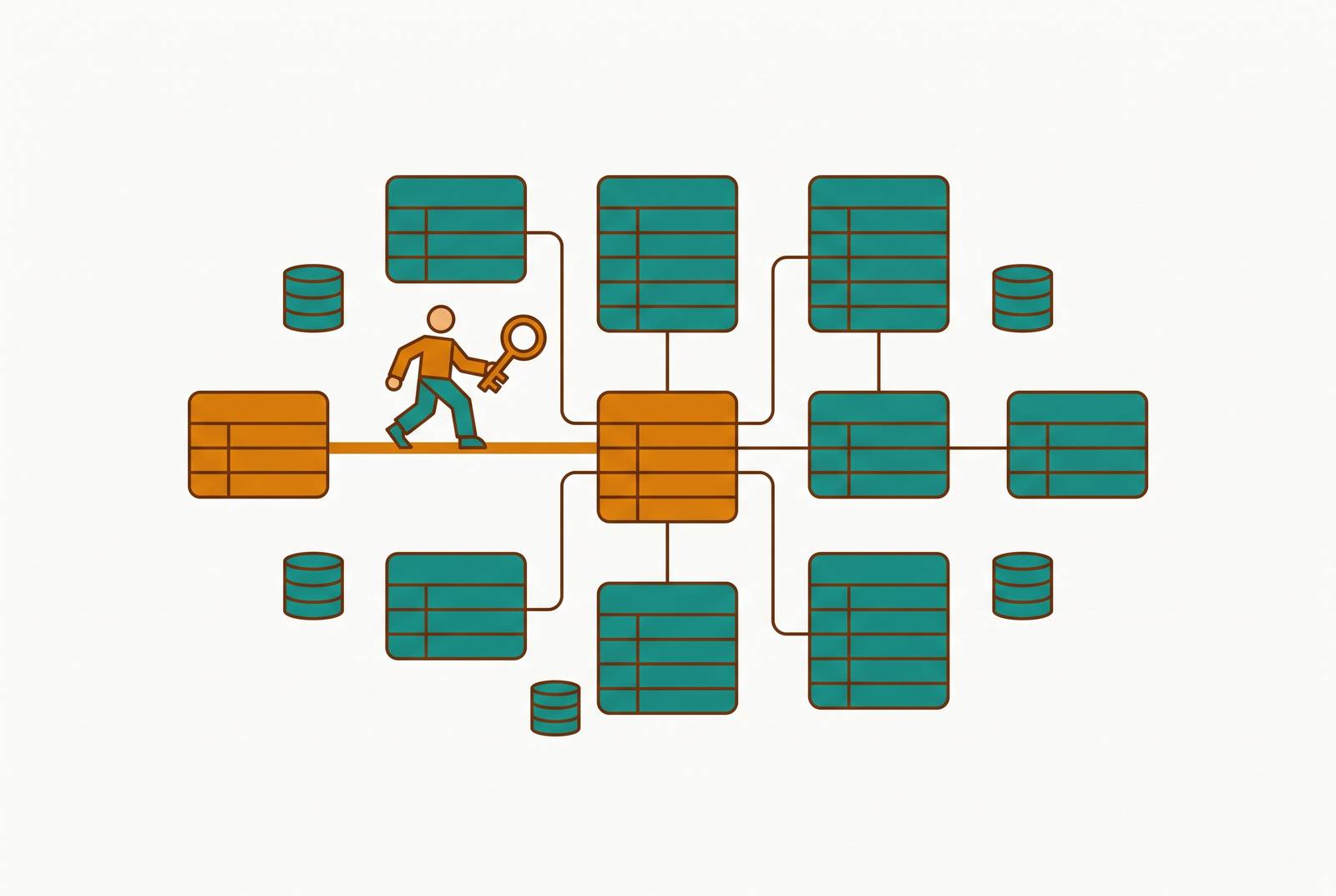
Picture a column named is_active. Nobody wrote a comment explaining it. Git blame points to a commit from four years ago with the message "fix." The person who added it left the company two reorgs ago. That's the entire inheritance a new engineer gets: a name, a data type, and silence. This article is about a database schema and why it concentrates years of business logic, naming decisions, and historical trade-offs that live nowhere else, so new engineers need a deliberate plan to learn it fast.
Code, for all its faults, leaves tracks. Function names describe intent. Comments explain the weird parts. Git blame tells you who touched a line and when, so you can go ask them. A schema offers none of that scaffolding. A column called status could mean five different things depending on which part of the business wrote the application logic around it, and the schema itself won't tell you which one.
Naming inconsistency makes the problem worse. A database where one table is called Customers, another is tbl_Product, and a third is ORDER_DETAILS isn't just ugly. It forces a new engineer to spend real hours figuring out structure that should have taken minutes, time that could have gone toward shipping something.
Schemas also drift. A field gets added. A type gets widened. An enum that used to have three values now has nine, and nobody updated the one diagram from launch day. Documentation written when the system went live is often wrong within months, quietly, with no warning label attached.
The LACY study, accepted at ACM FSE Companion 2026 as an industry paper, found that newcomers need design decisions, business logic, and high-level overviews to get oriented and know where to start. A schema diagram can't carry that information. A diagram shows boxes and lines. It doesn't show why the boxes are shaped that way.
Put all of this together and schema understanding ends up living in one DBA's head, or one engineer who's been there since the early days, creating what practitioners call a bus factor problem. When that person leaves, their understanding of the schema leaves with them, and everyone else is left reverse-engineering decisions from column names.
How slow schema ramp-up costs the whole company
A slow start for one engineer looks like a small problem. It isn't: the schema is the foundation everything else the company builds depends on.
The LACY study, presented at ACM FSE 2026, notes that a complete onboarding process can run three to six months depending on role and organizational practice, and the database schema is frequently the last and deepest layer a new engineer actually understands. That stretch means slower output from one person, and a slower path to the point where that person can be trusted with anything that touches production data.
The cost doesn't stop at engineering. When engineers are unsure about what a schema actually means, they can't safely build analytics or internal tools on top of it. That uncertainty becomes a bottleneck for teams that never write a line of code. A marketing team that wants a self-serve dashboard on signup conversion has to wait for an engineer who trusts the underlying tables enough to build it. Until that trust exists, every question marketing has turns into a ticket, and every ticket waits in a queue behind whatever the engineering team already has planned.
Manual onboarding sequences also pull a senior engineer or DBA off their own work every time a new hire needs a walkthrough. That interrupt cost doesn't happen once. It repeats with every new hire, scaling with headcount.
Solving schema onboarding well isn't a narrow productivity fix for engineering. It unblocks the rest of the company's ability to use the data it already has.
Why credentials and a schema diagram are not enough
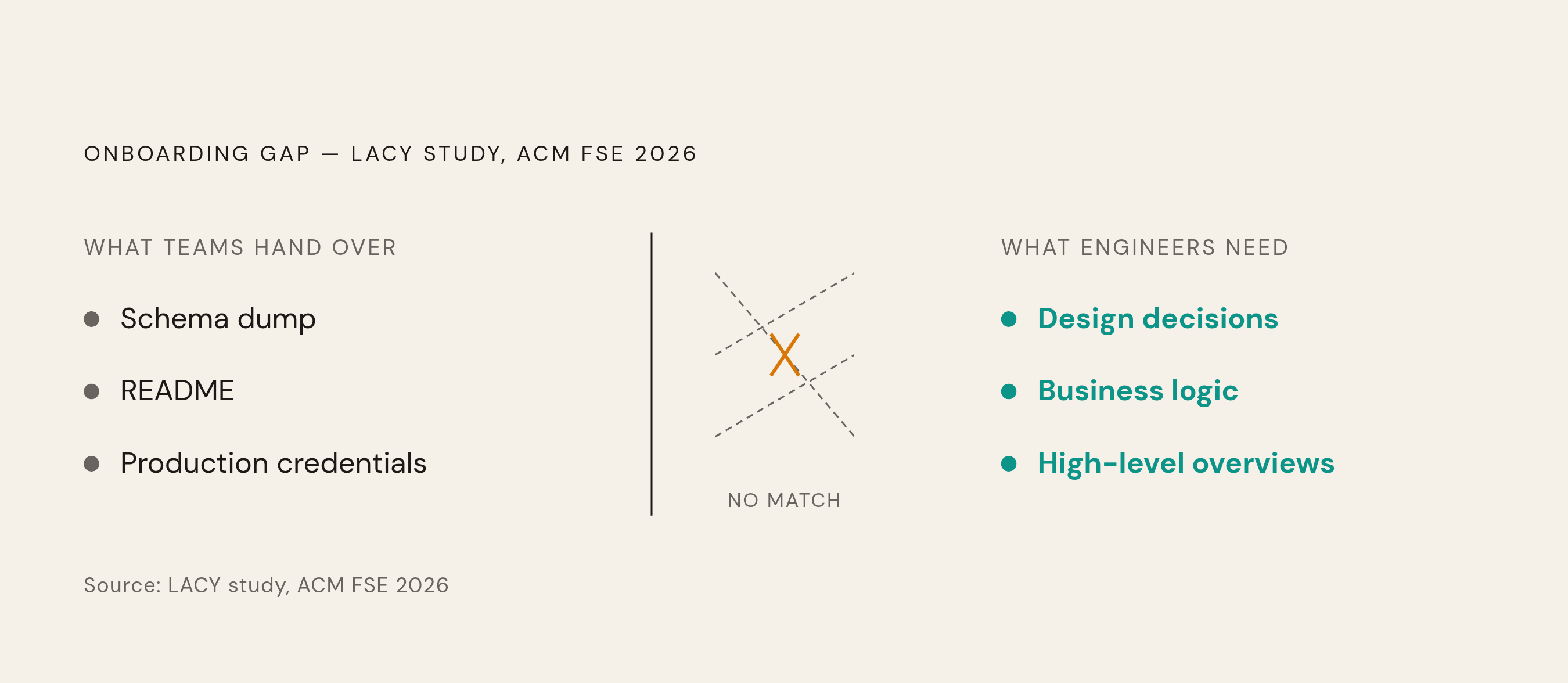
Most teams solve onboarding with the same three things: a schema dump, a README, and a set of production credentials. It feels thorough. It covers the structure of the data completely and the reasoning behind it not at all, which leaves a new engineer trying to reconstruct years of business decisions from column names alone.
A schema diagram shows which tables relate to which others. It can't explain why a column exists, what business rule it enforces, or which values are technically allowed but never actually correct. A discount_type column might accept six values in the database, but only two of them have ever been used safely in production, and nothing in the schema says which two.
Handing over production credentials creates its own separate mess. A developer who opened the production database once for a debugging session tends to still have those credentials months later, long after the reason for granting them has expired. If those credentials ever leak, the blast radius is the entire production dataset, far beyond what that engineer actually needed.
There's a temptation to assume AI tools close this gap on their own. The LACY study found that tools like GitHub Copilot and Cursor struggle with holistic understanding, tripping over complex interdependencies and custom logic that never showed up in their training data. The same limitation applies directly to schema exploration: an AI tool can describe what a table looks like, but it can't tell a new engineer why the business built it that way.
The real failure mode here is false confidence. An engineer who has read the schema diagram believes the data model makes sense, right up until a query silently returns the wrong numbers because a flag column carries business rules nobody wrote down.
Starting with a guided walkthrough of what the schema means, not just what it contains
Before any tool or document enters the picture, a new engineer needs something more basic: a live, recorded walkthrough from someone who actually knows why the schema looks the way it does. Not a tour of table names. A narrated explanation of the business decisions sitting inside the data model.
This matters because expert walkthroughs transfer the kind of knowledge documentation can't hold: design rationale, organizational history, judgment calls about which parts of the data actually matter. The LACY study, from ACM FSE 2026, backs this up directly. Learners who went through expert-guided tours scored substantially higher on comprehension quizzes than learners who relied on AI-only tours, and they reported needing fewer follow-up consultations with experts afterward. The walkthrough doesn't just teach faster, it reduces how often that expert gets pulled away from their own work later.
The smart move is recording it once. Codeminer, in 2026 guidance, recommends recording the system architecture session so future hires can watch it instead of making the same senior engineer repeat the tour every time someone new joins. The same logic applies cleanly to schema walkthroughs. One recorded session, built once, watched by every new hire after.
A useful walkthrough covers specific ground: which tables encode the company's core business entities, which columns carry business rules that aren't obvious from the name, which relationships are enforced by the application rather than the database itself, and which parts of the schema are known, accepted legacy messes that nobody's proud of but everyone works around.
Whoever gives this walkthrough should be the person most likely to leave the company next, not as a dark joke but as a planning principle. Capturing that person's knowledge in a reusable recording is the entire point of doing this, not a nice bonus on top of it.
Building a data dictionary that documents business logic, not just column names
A walkthrough gets watched once or twice. A data dictionary gets consulted constantly, so it only earns its keep if it explains business logic, not just data types.
Good documentation states what a column is, like is_active being a boolean. The more useful version goes further and explains why the column exists in the first place, what business rule governs it, and what constraints or edge cases apply that aren't obvious from the schema alone. A column type tells you nothing about the five special cases the support team already knows to watch for.
Naming conventions deserve the same explicit treatment. If one team's tables use underscores and another team's don't, write down why, or better, write down the rule going forward that stops new tables from adding to the mess.
Keeping any of this current by hand is where most documentation efforts die. Auto-generation tools like SchemaSpy and SchemaCrawler generate documentation from a live database connection. The documentation reflects the schema as it actually exists right now, rather than as it existed on the day someone wrote the first draft.
A data dictionary is also the right home for data lineage: where a field originates, what transforms it along the way, and which dashboards or downstream queries depend on it. Without that record, a new engineer has no way to know whether changing a column will quietly break three reports nobody told them about.
The objection that documentation always rots faster than the schema evolves holds up often enough to take seriously. The fix isn't asking someone to remember to update a wiki page. Pair auto-generation with a short review step tied to every migration, so the documentation updates as part of the same process that changes the schema, not as a separate task someone has to remember.
Using ERDs and schema versioning to give new engineers a map that stays current
An Entity-Relationship Diagram gives a new engineer the fastest orientation available to how the data model actually fits together. Instead of reconstructing the full relational structure from scratch by reading unfamiliar queries, a new engineer can glance at the ERD and see how tables connect.
That value only holds if the diagram matches the schema as it exists today. A diagram that's three versions behind doesn't just fail to help. It actively misleads a new engineer into believing relationships exist that got changed or removed months ago. Tools like dbdiagram.io, Lucidchart, and draw.io show up often in practitioner guidance for maintaining these visual maps, because a map that falls behind the schema misleads the engineers who rely on it.
Tying every schema change to a tracked migration keeps the schema's history visible as it evolves, so it never goes stale. Instead of a new engineer asking "why does this table look like this" and waiting on whoever remembers, they can read the migration message and the pull request discussion that went with it. The history of the schema becomes something anyone can read, not something only one person can recall.
The migration log becomes documentation itself. The migration log becomes a living record of every decision made about the schema, written at the moment that decision happened, by the person who made it, for the exact reason it was made. It captures the reasoning while it's still fresh, before anyone has to reconstruct it later.
Giving new engineers scoped, time-limited access rather than full production credentials
How access gets granted shapes what a new engineer can safely learn, not just what they can safely break.
The baseline principle is simple: every user gets the minimum permissions the job actually requires. A developer running SELECT queries against a staging environment doesn't need DROP or ALTER privileges on production. Applied specifically to onboarding, this means a new hire's access should match what they're learning to do that week, not what they might eventually need a year from now.
Giving dev and QA users direct access to production catalogs isn't standard practice, and for good reason: the governance risk, the compliance exposure, and the chance of an accidental write usually outweigh whatever convenience it buys. Read-only sandbox environments and masked replicas handle this better, letting a new engineer explore real-shaped data without any of it being real.
A more sophisticated version of this is dynamic, just-in-time access, where permissions expire by default, high-risk actions trigger extra checks, and any elevated access gets scoped to a specific, planned change window with automatic rollback and full logging. Onboarding doesn't need this full machinery on day one, but it's worth building toward access that shrinks back down automatically.
Schemas themselves work as one of the cleanest security boundaries available. Granting permissions at the schema level rather than table by table means any new object added to that schema automatically inherits the right permissions, at least in SQL Server. Other database systems need an extra step to get the same effect for future objects, since at least one has no mechanism to grant a privilege across a whole schema at once. Either way, schema-level permissions give both a new engineer and an auditor a much simpler model to reason about than permissions scattered across hundreds of individual tables.
Snowflake environments add one more useful distinction: separating access roles, which define what a role is allowed to do, from functional roles, which define who holds that role. Keeping these separate prevents the kind of privilege sprawl that makes onboarding harder to reason about months later, when nobody remembers why a given account can do what it can do.
The real payoff of scoped access isn't just safety. A new engineer working in a read-only sandbox can click around, run exploratory queries, and poke at unfamiliar tables without the nagging fear of breaking production. That freedom to explore without anxiety is what actually speeds up learning the schema.
Using database GUI tools to let new engineers explore the schema without writing SQL from scratch
Once the documentation exists and the access is scoped correctly, a new engineer still needs a way to actually poke around in the data. A new engineer who can browse tables, inspect relationships, and run safe exploratory queries through a visual interface builds a working mental model of the schema faster than one handed a terminal and pointed at the information schema.
Database GUI tools surface the schema's structure visually, let someone run queries without memorizing exact syntax, and, when designed well, enforce whatever permission boundaries are already in place. That last part matters as much as the first two: a new engineer exploring through a well-scoped GUI can't accidentally fire off a destructive query they never meant to run, because the tool simply won't let them.
The benefit extends past the individual. When schema understanding gets embedded in a tool with safe, permissioned access, the new engineer stops being the only person who needed that access. Every team that used to file a ticket just to get one number out of the database can pull it themselves, through the same safe interface, without waiting on an engineer to translate the request into SQL.