Self-Hosting Metabase vs Using a Managed Admin Panel
Compliance laws and IT capacity, not cost alone, drive self-hosting decisions.
Most teams default to cloud-hosted tools in 2026 because the upfront cost is lower, the setup is faster, and there's no infrastructure to manage on day one. Self-hosting is the exception that needs a reason, not the other way around. The pressures that push teams toward self-hosting cluster around a few real drivers: SaaS pricing that gets expensive per seat as headcount grows, data residency laws that restrict where certain data can physically sit, and IT teams who simply want their own hands on the stack.
The compliance piece carries more weight than people expect. DashboardFox's 2026 self-hosted BI guide points to GDPR, HIPAA, Saudi Arabia's PDPL, UAE data protection law, Egypt's data protection law, and Brazil's LGPD as the real drivers behind self-hosting decisions, not cost on its own. And the legal landscape keeps adding new wrinkles: the EU Data Act's rules against vendor lock-in require that data be portable in formats that are structured, commonly used, and machine-readable. That means a company storing data in a format only one vendor can read has created a compliance problem for itself, separate from where the data physically lives.
But there's a second question tangled up in all of this, and it deserves to be pulled apart early. Self-hosting a BI tool and needing a managed admin panel sound like two flavors of the same decision. They're not. A BI tool is for reading data: filtering, drilling down, watching trends move. An admin panel is for acting on data: CRUD operations, approvals, refunds, editing records, flipping feature toggles. Plenty of teams take a self-hosted BI tool and ask it to do both jobs, and that's exactly where governance tends to fall apart. Keeping those two problems separate from the start makes everything that follows in this piece easier to apply to an actual team's situation.
What self-hosting a BI tool demands from your team
Choosing to self-host doesn't just save money on a subscription. It hands the entire operations job to whoever runs the infrastructure, and that job doesn't end once the tool is installed, appearing again every month.
DashboardFox's own comparison of cloud versus self-hosted deployments lays out everything that becomes the customer's responsibility: the initial install, sizing the server correctly, configuring the database, managing SSL certificates, running backups on schedule, applying version upgrades, patching security holes, and scaling the whole thing as more people start using it. None of that is a one-time task. Each item on that list repeats indefinitely, and each one needs someone paying attention to it.
The real failure mode isn't a shock bill; it's neglect. An upgrade gets pushed back a quarter. A security patch sits in a queue. Eventually the tool becomes the thing nobody wants to touch, quietly running in the background until something breaks. Misconfigured reverse proxies, CVEs that never got patched, weak default logins, and admin panels left exposed to the open internet are common ways self-hosted services fail, and most of them trace back to exactly that kind of drift.
How bad this gets depends heavily on which tool a team picks, because self-hosted BI tools are not equally approachable. Apache Superset is a good example: it runs in production at Airbnb, Dropbox, and Lyft, but it's also widely described as one of the more complex, less accessible options for anyone without serious SQL experience or an in-house data team used to running that kind of infrastructure. For a smaller company that just wants to look at its own numbers, the time spent keeping Superset running can wipe out whatever it saved by skipping a license fee.
Reports break at 8am on a Monday, and the fix comes from a community thread rather than a vendor with an SLA. That's a real tradeoff, not a hypothetical one, because the clock is running the whole time something's broken.
Security deserves its own honest look here too. It has more to do with how carefully a system is configured and maintained day to day than with whether it's hosted in the cloud or on a server down the hall. Major cloud BI vendors generally run a stronger security baseline than most small or mid-size IT teams can build and keep up on their own. Self-hosting gives a team control over where its data physically sits, but that's a different thing from making the system more secure, and teams without dedicated security staff should weigh that distinction carefully before self-hosting on security grounds.
All of which points to a pretty clear cutoff. DashboardFox's own framework concludes that teams under 50 people without dedicated IT staff usually find self-hosted BI isn't viable, no matter how the rest of the numbers shake out. If that's the team in question, the rest of this calculation barely matters.
When the cost math favors self-hosting
None of this means self-hosting is a bad idea across the board. For teams with real IT capacity and headcounts that don't swing wildly year to year, self-hosting can genuinely win on total cost of ownership. The breakeven point sits further out than most people assume when they're staring at a per-seat SaaS quote.
DashboardFox's own guide runs the numbers using a representative SaaS cost across 100 users, and that per-seat spend keeps compounding year after year with no end date. Set against a one-time perpetual license, that ongoing subscription cost is what makes self-hosting look attractive once a three-year horizon enters the picture. A separate comparison, using a 25-person team, found the self-hosted license starts pulling ahead of subscription pricing around year 3 and the gap widens further by year 5 and beyond. Below that scale, or over a shorter time horizon, the subscription usually wins outright. Teams without their own servers can run self-hosted software through third-party managed hosting instead, but doing that tends to erase much of the savings that made self-hosting worth considering.
Compliance is the other place self-hosting earns its keep, though the case is narrower than it first appears. Healthcare organizations bound by HIPAA have a legitimate argument: the moment protected health information touches a SaaS vendor's servers, that introduces a compliance risk that can lead to audits, penalties, and reputational damage, and some internal policies simply forbid PHI from leaving a controlled environment no matter what the vendor's business associate agreement says.
But that logic doesn't automatically carry over to every team with a compliance checkbox to tick. For most organizations outside heavily regulated industries, a vendor that already holds a HIPAA BAA, SOC 2 Type II, and GDPR compliance satisfies what's actually required, without taking on the operational weight of running infrastructure in-house. The jump from "we have a compliance requirement" straight to "we must self-host" often skips over how much a serious cloud provider can already handle, and underestimates the new risks that come with running infrastructure internally.
AI is one more variable worth factoring in. Natural language querying is standard in BI tools now, and under a managed cloud setup, those prompts and the schema details behind them leave the customer's network and land on the vendor's infrastructure. Self-hosting flips that. A team can bring its own language model and keep every prompt inside its own walls. For data-sensitive workloads, that's a real factor in the decision, separate from cost or compliance.
So the fair read is this: self-hosting makes sense for teams with the IT bench to support it, at a scale where the three-year math works out, or in a vertical like healthcare where the compliance stakes are concrete rather than theoretical. Anyone who recognizes their team in that description has a legitimate case for self-hosting. The rest of this piece is written for a different reader.
Why BI tools, self-hosted or not, are the wrong tool for cross-functional data access and record editing
A lot of teams reach for a self-hosted BI tool to solve a problem it was never built to solve, and self-hosting it doesn't fix that mismatch. It just means the organization is now responsible for maintaining a misconfigured system that quietly creates governance risk.
A non-technical operator needs to look something up or fix something, pings engineering on Slack, waits hours for a response, and eventually someone suggests just giving them direct database access. One wrong query later, production data is gone.
A BI tool was built for a different workflow entirely: filtering data, drilling into it, watching how numbers move over time. It was not built for CRUD operations, approvals, refunds, editing a customer's record, or flipping a feature flag, which are exactly the actions that ops, support, and finance staff need to take on a daily basis. Self-hosted BI tools typically don't come with domain-level permissions or audit logs out of the box, so a non-technical staffer handed SQL access can run a destructive query with nothing stopping it and no record of who did what. BlazeSQL's guide to self-service BI points to the same structural failure: tools deployed without training or governance, and separately, dashboards expected to answer ad-hoc questions they were never designed to handle.
Building a safer, governed alternative from scratch is possible, but it's slower and more expensive than most teams plan for. A bare-bones custom admin tool usually takes one or two engineers somewhere between four and eight weeks to reach something usable, and that estimate often doubles once permissions, validation, and audit logging get added. Starting from a premium template can shrink the UI work down to a matter of days, but wiring up authentication, role-based access, and audit trails still eats up weeks on its own. In every version of this, from templates to custom code to a repurposed BI tool, governance eats the most time and gets underestimated until late in the build.
A few companies have already lived through this exact problem and solved it with purpose-built internal tooling instead of stretching a BI tool past its job description.
DoorDash started with Django Admin to handle operator tools like Dasher route visualization, region editing, and restaurant management. Building a single new tool used to take one to two months. After switching to a low-code platform, that dropped to 30 to 60 minutes per tool, and small tweaks like adding a filter or a dropdown went from weeks of overhead to a matter of minutes.
Brex adopted low-code internal tooling early on, cut the code needed to ship certain internal features by roughly three-quarters, rolled the approach out across many teams, and grew about tenfold over three years without its internal tools turning into a bottleneck.
Both cases point to the same lesson: the problem these teams were solving was never a BI problem. It was a governed-access problem, and treating it as one changed how fast they could move.
What a managed admin panel provides that a self-hosted BI tool does not
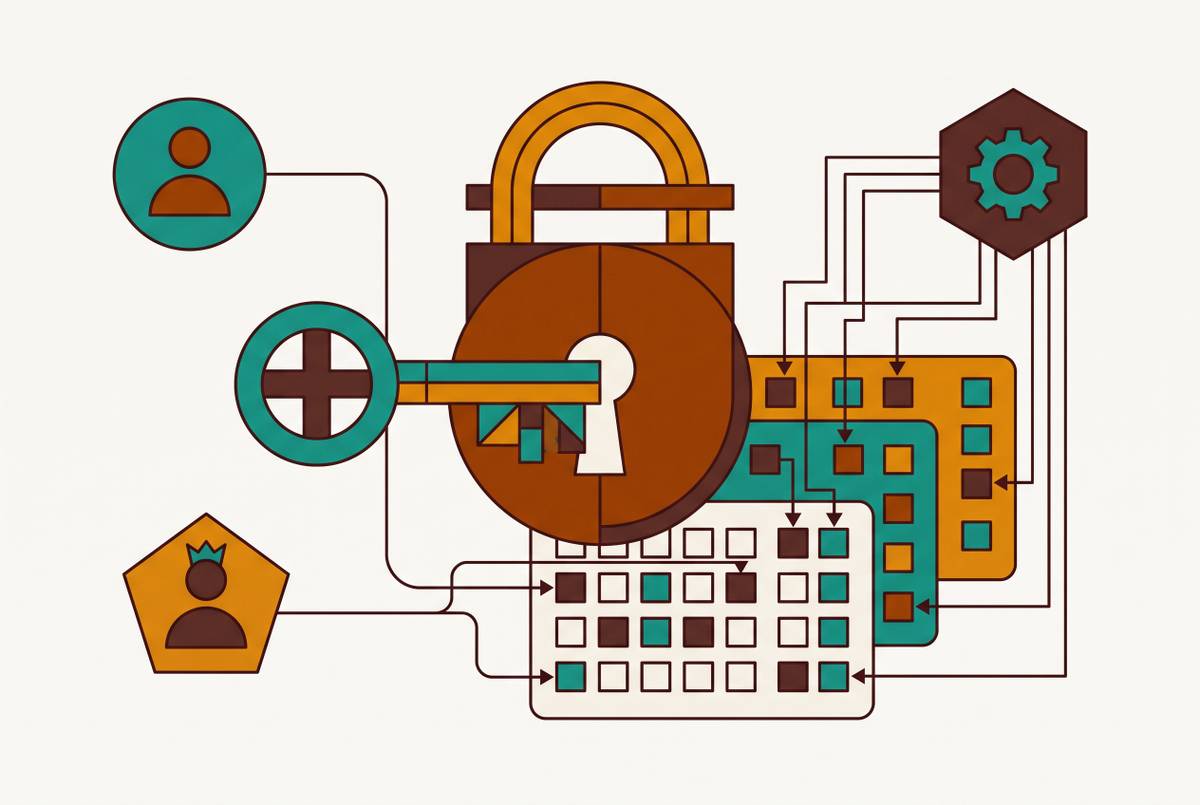
A managed admin panel is built for a single purpose: acting on data safely. It connects straight to a production database and gives non-technical staff governed CRUD operations, row-level permissions, audit logs, and approval workflows, all without the infrastructure work that comes with self-hosting a BI tool.
Basedash fits squarely into this category, built around connecting directly to a company's database and giving cross-functional teams a safe way to view and edit records without SQL access or raw credentials. The appeal is structural rather than cosmetic: permissions, audit logging, and the data connection itself are handled by the platform instead of being built and maintained by an internal engineering team, and that is what costs the most time and money in any custom or self-hosted approach. With a platform like Jet Admin, a team can get a working admin dashboard in hours or a few days because that governance layer already exists, not weeks as with a custom build or adapted BI tool.
Row-level permissions are the detail that makes this safe in practice. A support rep can look up and update a customer record without ever touching the underlying database directly or being handed SQL access. The engineering team sets the rules and maintains the system, but the people actually using it day to day span product, sales, marketing, support, and ops, which is exactly the population a self-hosted BI tool was never built to serve safely. There's no separate BI stack to stand up, no servers to maintain, and no data team sitting in the middle answering routine questions that could just be self-served.
Basedash isn't the only option in this space. The admin panel builder market now includes platforms like Softr, Budibase, Superblocks, JetAdmin, and Django Admin for teams already working in that framework, with pricing that starts in the tens of dollars a month and climbs from there. Each one handles the same basic job, connecting non-technical users to production data in a governed way, with its own tradeoffs in setup time, customization, and how much configuration it expects from the team running it.
The split in the end comes down to the job itself. Teams that mostly need to read data, through dashboards and trend lines, are well served by a BI tool, whether it's cloud-hosted or self-hosted. Teams where staff need to write to production data, process refunds, approve requests, or edit records need a governed admin panel instead. Mixing the two up tends to produce one of two bad outcomes: a BI deployment with far too much raw access floating around, or an admin panel locked down so tightly it can't answer the ad-hoc question someone actually has.
Deciding which path is right for your team
The decision comes down to three questions, asked in order: what job actually needs doing, who's doing it, and whether the team has the IT capacity to keep self-hosted infrastructure running long-term.
Start with the job. If the real need is read-only trend analysis and scheduled reports, a BI tool is the right call, and whether it's cloud-hosted or self-hosted comes down to compliance requirements and scale, following the math from earlier in this piece. If the real need is editing records, processing approvals, issuing refunds, or supporting other write-heavy workflows, a managed admin panel solves that directly, and a BI tool, no matter how it's hosted, does not.
Then check who's doing the work. If it's a data team running its own queries and building its own dashboards, a BI tool fits naturally. If it's support, sales, or ops staff who need to look something up and fix it without looping in engineering every time, that's the admin panel use case, and trying to force it through a BI tool is how teams end up handing out raw database access out of sheer frustration.
Finally, be honest about IT capacity. A team with dedicated infrastructure staff, steady headcount, and a three-to-five-year planning horizon can make the self-hosting math work. A team without that bench, especially one under 50 people with no dedicated IT staff, is almost always better off with a managed option on either side of this decision, BI or admin panel, so the energy goes into using the tool instead of keeping it alive.
For teams that land on the admin panel side of that split, specifically those needing safe, cross-functional access to production data without building and maintaining that governance layer from scratch, Basedash is a reasonable starting point to evaluate, alongside the other platforms mentioned here. Which category fits matters less than which one matches the actual work waiting to get done.