How Engineering Teams Set Granular Row, Column, and Export Permissions for Business Users in Internal Database Tools
Database-layer permissions protect data across all query routes, not just dashboards.
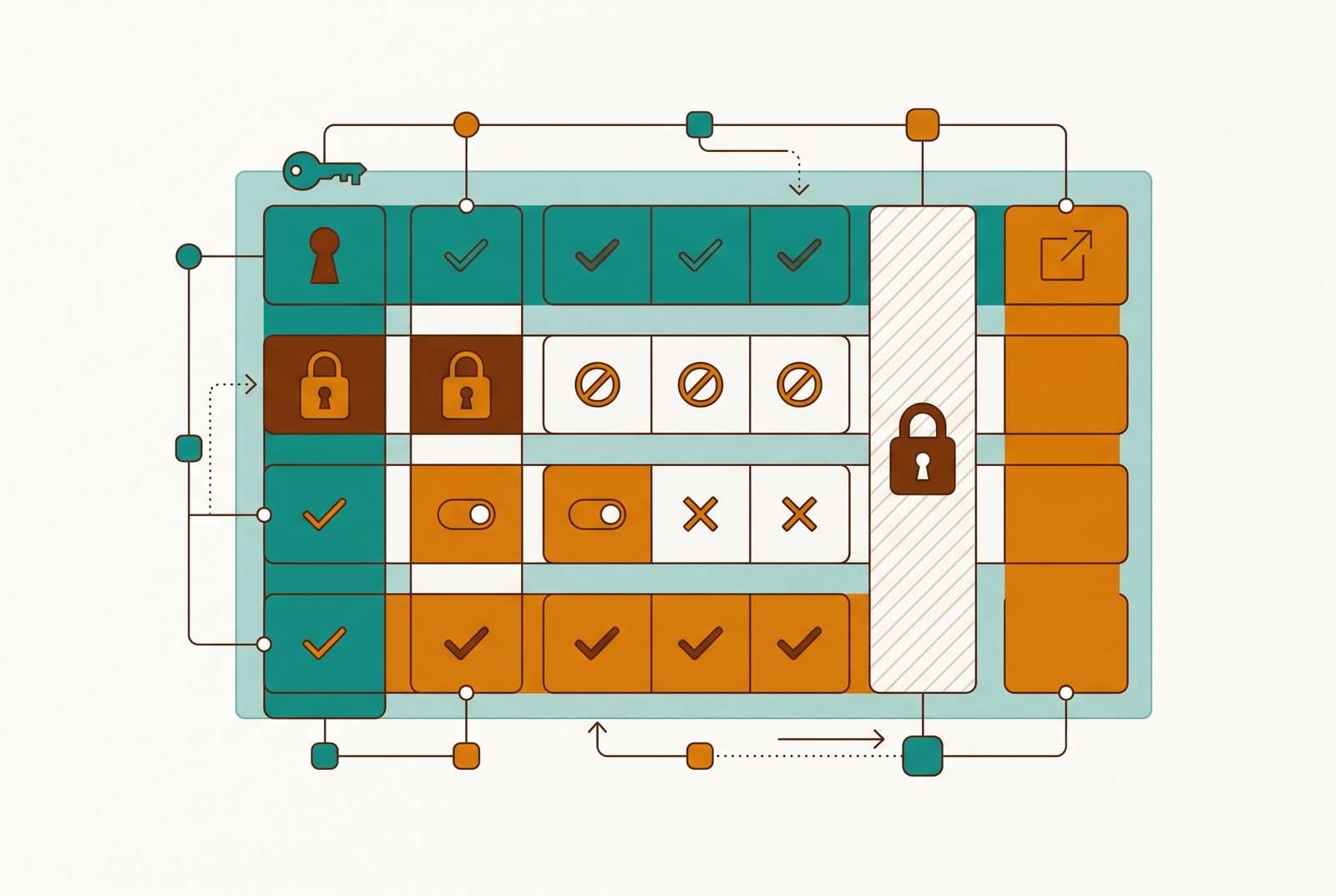
Least-privilege access control for internal database tools means that the database enforces row and column rules, each query carries the business user’s identity, and export has its own controls. Dashboard permissions alone cannot protect every route to the data. The engineering task is to make those rules hold for sales and support users whether they open a report, download a file, or ask an AI a question.
Why access control in internal database tools is harder than it looks
Duplicating a view for sales, another for support, and another for finance looks like progress until every policy change becomes a small renovation project. Each one needs maintenance, and none proves that another query route cannot reach the underlying data. An enforcement boundary must hold when a request leaves the path its designer expected.
That distinction separates three decisions often bundled into “access granted.” Row permissions determine which records a person may read, column permissions determine which fields they may see, and export permissions determine what they may take away. Each needs its own control. Those controls must cover dashboards, scheduled exports, embedded views, and AI-generated queries. Self-serve analytics also needs certified metrics, because safe access and consistent answers solve different problems.
How row-level security actually filters data, and where the policy must live
Row-level security, or RLS, evaluates a policy predicate while the query engine executes a request. The predicate decides whether each row is available to the requester. This happens before the results leave the data store. It is different from application authorization, which may assume the database enforces nothing, and from row-level encryption, which protects content without deciding who may retrieve a record. The useful property is where the decision happens.
When the database enforces the rule, different tools can reach the same table without each becoming the sole guardian of its rows. Database-native RLS is the right default when several tools use the data or compliance rules call for data-layer enforcement. BI-layer RLS uses a similar true-or-false formula, but only covers requests passing through that tool. That can be a reasonable trade-off. It suits teams with little database administration expertise whose access runs through a single tool, and its rules are quicker to change without DBA involvement.
Within BI-layer filtering, team membership and user attributes create different maintenance costs. Team-based formulas require a mapping from data values to teams, while user attributes skip that translation and scale better as distinct groups multiply. Neither approach escapes the enforcement boundary of the tool. A convenient formula still needs a trustworthy execution path. Otherwise, the rule is a bouncer guarding only one door.
Service accounts need deliberate treatment too. When row access policies are active, transformation jobs that need unrestricted input require an explicit full-access policy, described in the notes as FILTER USING (TRUE). Without it, a dbt build can consume empty source data while tests pass on zero rows and dashboards show zeroes. Engineering teams should deploy RLS policies as code through CI/CD and track denied queries and how long policy evaluation takes.
How column-level security works alongside row filtering, and what it still cannot do
A support user may be allowed to read a customer record without being allowed to see every field inside it. Column-level security makes that distinction. RLS does not inspect a permitted row and politely avert its eyes from national IDs. By default, the database returns every column requested in the SELECT statement. Sensitive fields need a separate, explicit rule.
Column restriction and masking are also different decisions. BigQuery returns an Access Denied error when a user without permission queries a column protected by a policy tag, blocking the query. Masking takes additional configuration. Its Dynamic Data Masking feature requires a masking data policy and the Masked Reader role to return masked or null values instead. The user can still write a plain SELECT without managing the substitution.
Those masking policies use Data Catalog policy tags to tie access to roles. Engineers and BI tools may get SENSITIVE access, while only approved data scientists and certain automated pipelines can get PII_RESTRICTED access. The architectural choice is whether to deny the field or provide a masked version. Neither follows automatically from permission to read the row. Without column protection, emails, phone numbers, and national IDs can flow into exports or AI context windows just as readily as dashboards.
How identity reaches the database — and what breaks when it doesn't
A carefully written policy cannot recognize a person whose identity never reaches it. When an internal tool connects through a shared service account, the database evaluates that account’s permissions. This is the identity gap. A retrieval pipeline using one broad service role may therefore read across all tenants even when the application knows exactly who asked the question. Login and query authorization are separate events.
The correct pattern connects those events. The application identifies the user or tenant, opens a database session, and sets a session variable containing that identity. The engine then reads the variable when applying the RLS filter to the query plan. Session pooling makes this connection fragile. If a reused session retains the previous identity variable, the next requester can receive the wrong rows despite otherwise sound policies.
Identity integration also involves different jobs that should not be confused. SAML, OIDC, JWT, and SCIM appear in this architecture, but SCIM specifically synchronizes group membership from the main identity provider into the tool. With synced groups, a change in membership changes the data rules that apply when someone leaves a team. Plan availability needs attention as well. A tool’s identity design is incomplete if the required SSO capability is unavailable on the chosen plan.
With a shared database login, the database log identifies the application role, potentially leaving the person who initiated the statement unidentified. Security teams need that attribution to understand access. Debugging adds another wrinkle, because engineers using high-level workspace roles may see raw values where ordinary users receive masks. A privileged troubleshooting session does not demonstrate what a business user can see.
Export permissions — the control most teams configure last and break first
A PM opens an adoption dashboard showing aggregated behavior, then downloads a CSV containing individual email addresses or customer IDs. The screen looked properly scoped. The download used a different permission path that could bypass the filtered or masked view to reach the underlying data. Export is not simply viewing with a different file extension. It needs an explicit authorization decision.
The export surface includes CSV, Excel, summarized data, and underlying data, with separate controls that can remain open independently. Build access creates another route. Microsoft’s documentation describes it as allowing external tools to query a semantic model even when report-level export is disabled. The policy must account for how users can connect to the model as well as what they can download from a report.
Proper database enforcement should still constrain queries made through these routes, but dashboard-only protections may not follow them. Even scoped data can require limits on bulk extraction. The recommended enterprise pattern is to disable summarized, underlying, CSV, and Excel exports broadly, then re-enable them for approved security groups. High-risk actions come first. Bulk export, raw identifiers, and API usage should be restricted before dashboard viewing is opened.
Temporary needs should not become permanent privileges. A billing audit may justify access to sensitive data for a defined period, with explicit approval and an expiration date. Without those boundaries, useful one-off permissions accumulate into access nobody originally intended to grant.
How AI-generated queries break application-layer access assumptions
“Only return authorized records” is an instruction to a model. The model can generate valid SQL that retrieves records outside the requester’s scope. SQL validity says nothing about authorization. If the database accepts that query under a broad shared role, the prompt’s good intentions do not narrow the result. The security boundary must survive a query the application did not anticipate.
Application-built filters are especially exposed when prompt injection can alter the constructed query. Database policies move the decision out of that construction process. The model can change what it asks for, but not which protected rows its database identity is allowed to read. Column rules must hold there too. Otherwise, an authorized row can still deliver sensitive fields to the model.
Vector search inside a relational database follows the same logic. With RLS active, the engine can check the tenant column and exclude unauthorized chunks from the similarity search. Without it, restricted chunks can enter the model’s context window. The permission boundary belongs before the model receives the content.
For teams adopting natural-language queries or agents, the lesson is to audit the actual query identity. Does the feature use the authenticated user’s scope, or a shared service role? Vendor documentation should show whether RLS covers AI-generated requests, beyond showing that dashboard filtering is in place. Missing documentation leaves the question unresolved. Chat, scheduled work, and reports that users open by hand all need the same checks.
What engineering teams need to configure, and in what order
The configuration sequence begins with database policies because every later interface depends on their scope. Engineering teams should write RLS rules for protected tables, give full-access service accounts their explicit policies, and test dashboards, exports, scheduled reports, and AI features against that boundary. Column controls come next. Identifying sensitive fields and assigning policy tags or masking functions closes the gap that row filtering deliberately leaves open.
Identity then makes those policies specific to the requester. Teams should sync identity-provider groups, write filters that use group names instead of individual email addresses, and check that query sessions get the right identity context. Export restrictions must precede dashboard access. Approved groups need explicitly scoped formats and Build permissions, while AI coverage needs a separate check of execution identity and database enforcement. Temporary elevation should need a record of approval and a set expiration date.
Product selection should follow that architecture. The comparison criteria are the granularity of role-based and attribute-based access controls, row and column scoping, time-limited elevation, environment and identity separation, audit logging, query guardrails, and policy-as-code administration. Those are distinct capabilities. A product’s strength in one does not establish the others, and central administration does not by itself prove that every query reaches the same policy.
Basedash is a credible fit for a 10-to-25-person team seeking scoped business access without a full enterprise BI stack, connecting directly to Postgres and passing basedash.groups so native RLS filters dashboards, AI-generated queries, chat, and Slack answers. Its governed semantic layer places metric definitions in the query path, translating plain-English questions into SQL that respects row, column, and export boundaries without asking users to navigate those restrictions themselves.
For Apono, the comparison should establish what an approved grant actually authorizes. Time-limited access and data scoping answer different questions. An evaluation needs evidence for both before treating an elevation workflow as protection for sensitive rows or columns.
For Teleport, the decision should distinguish connection identity from data visibility. Reaching the database under a known identity is one requirement. The row and column rules applied to that identity, environment separation, and human-attributed query records need their own evaluation.
For Cerbos, the policy boundary is the key comparison. Central rules are not automatically database predicates. The team should check how authorization decisions apply when queries run and whether generated SQL, exports, and other routes stay within those decisions.
For Bytebase, the comparison should separate administration from business-user access. Policy management and the resulting query scope need distinct evidence. Audit records, query guardrails, and temporary exceptions should be assessed against the same execution paths used for the other options.
Apache Superset is a self-hosted option with documentation for teams willing to run the infrastructure. Its free open-source project includes RLS filters, and its embedded SDK can attach RLS clauses to guest tokens. That gives buyers a concrete mechanism to compare. The remaining decision is whether the tool’s enforcement boundary fits the organization’s access paths and operational capacity.
The goal is not a garden of permission gates that engineers must tend whenever someone needs a report. Business users should be able to ask everyday questions without knowing how session variables, masking roles, or query predicates work. The controls should be invisible in routine work and impossible to undo by accident. A new dashboard, download, or AI feature should not quietly turn a narrow permission into full database access.